New article
Recently updated
Rejecting a transfer ownership request

Who is this article for?Users who want to learn to reject a transfer ownership request.
No elevated permissions are required.
This guide will walk you through the process of rejecting a Transfer Ownership request in Veeva centric integration. You will learn how to decline the request, and confirm the rejection.
See Transferring ownership history for the next steps of the process.
1. Rejecting a transfer ownership request
1.1. Video
1.2. Steps
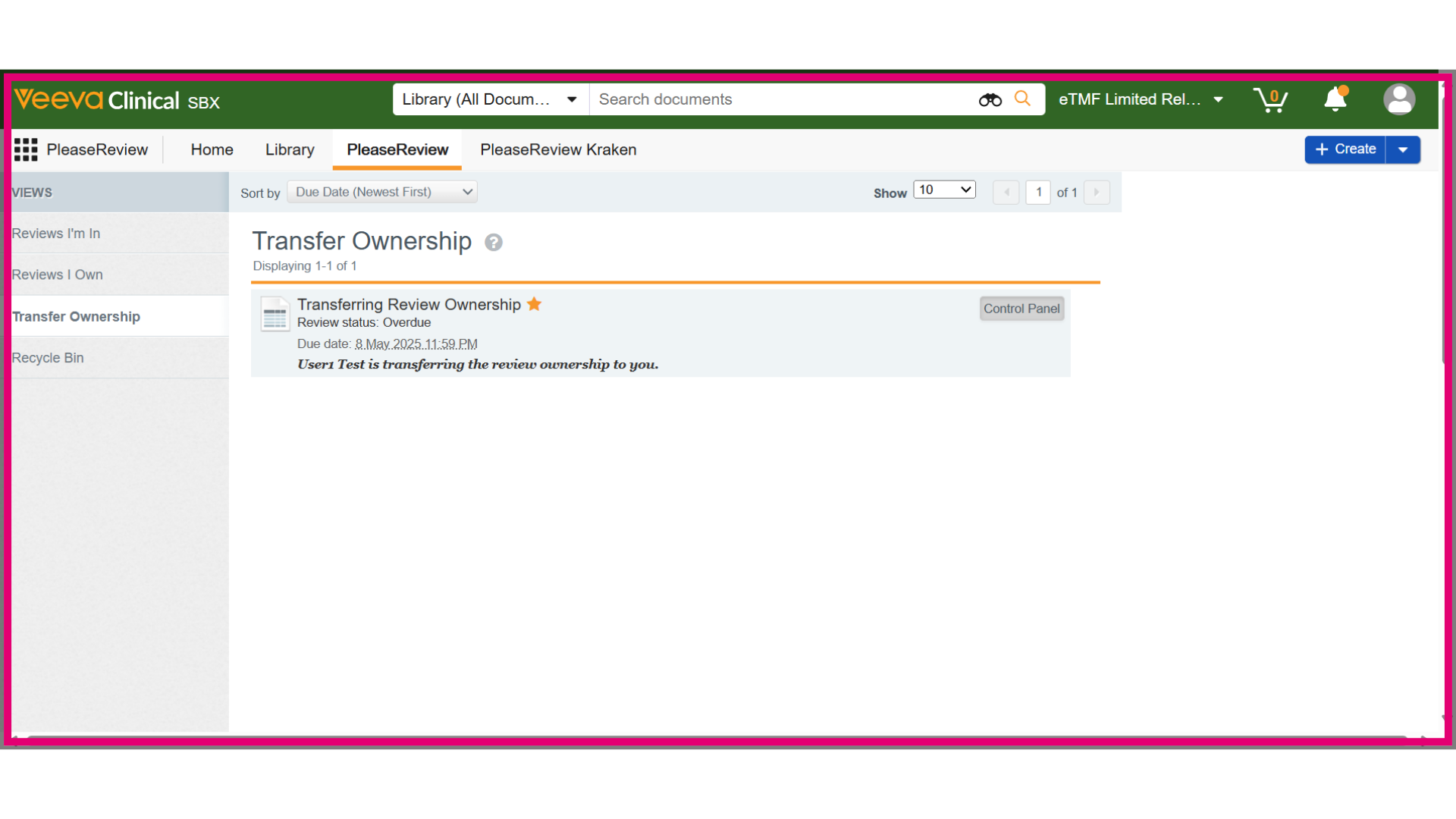
- The new review Owner can reject the ownership transfer request by finding the review in the Transfer Ownership Inbox and clicking the Control Panel button.
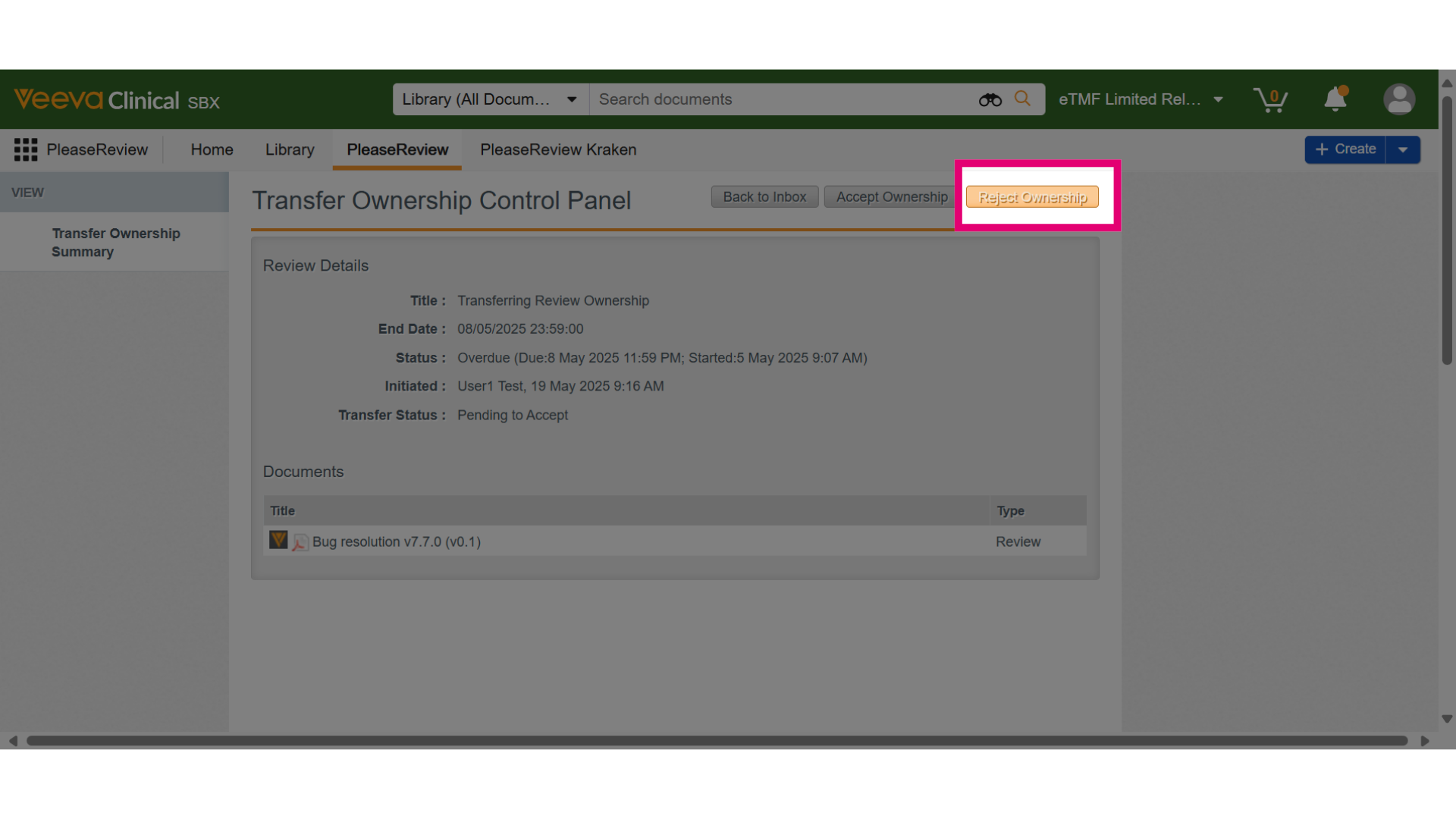
- In the Control Panel, click Reject Ownership.
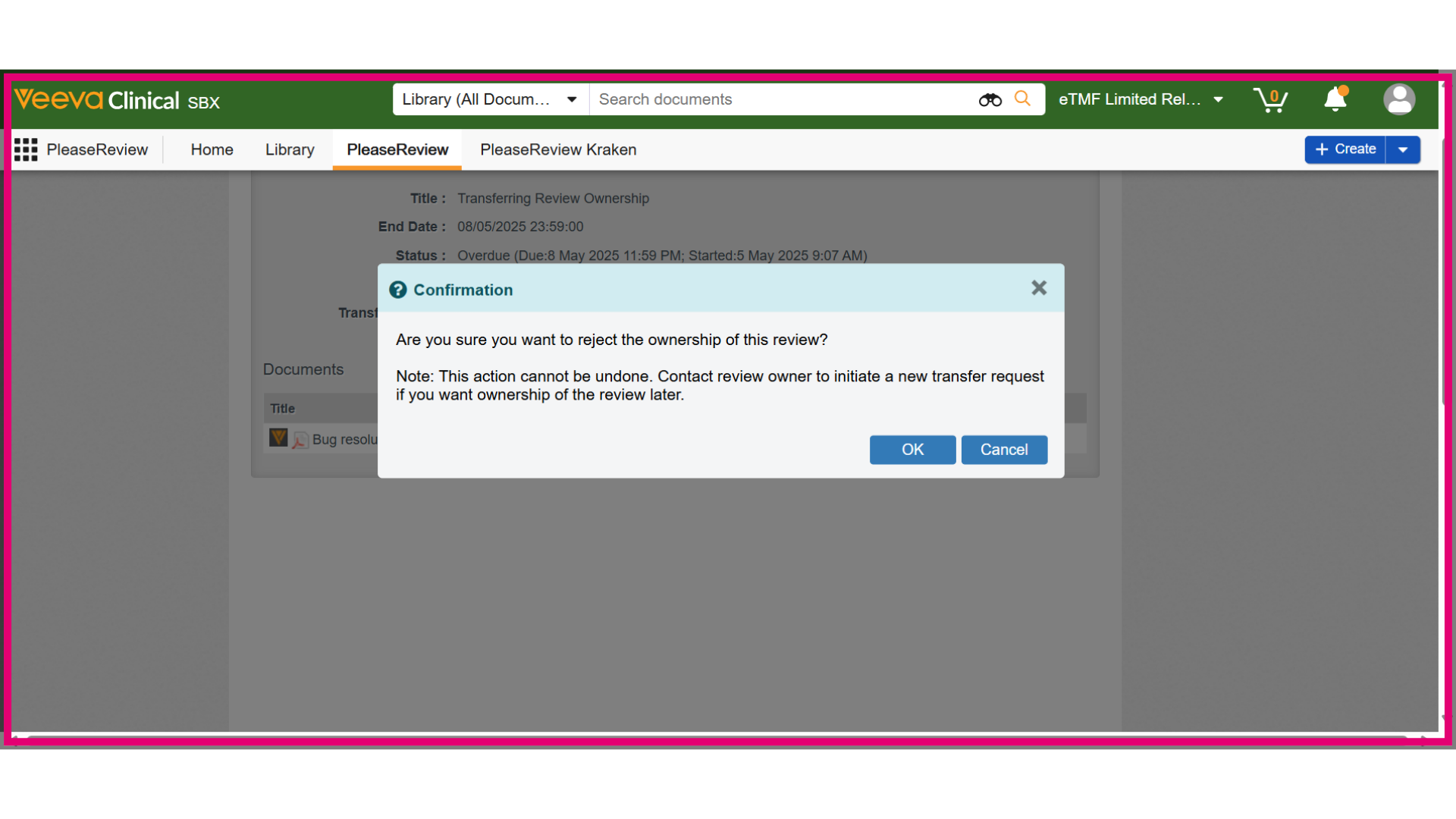
- A confirmation dialog will appear. Click OK to confirm the rejection.
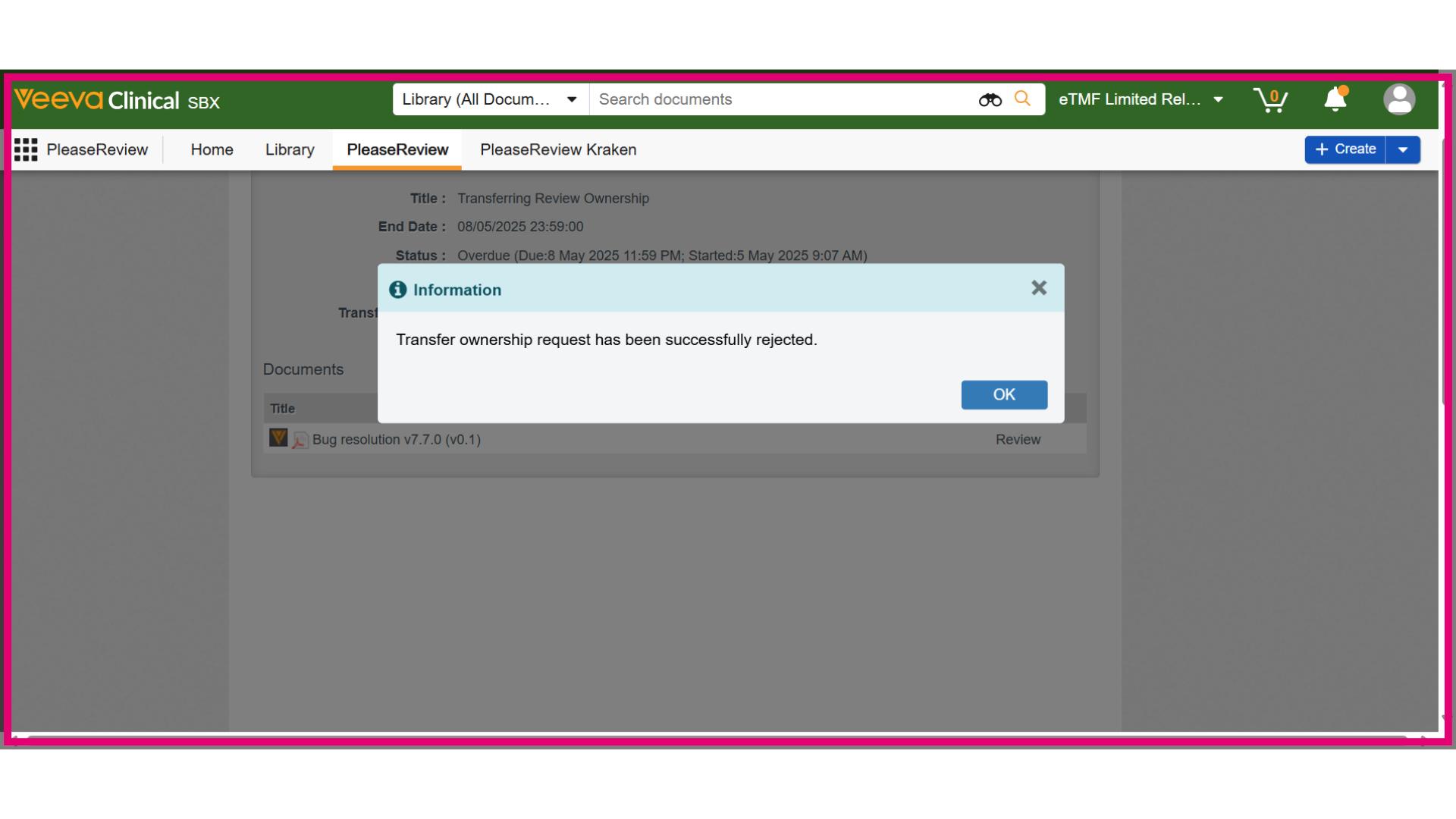
- An information dialog will display the rejection status. Clicking OK returns you to the Transfer Ownership view, and the review will be removed from the Transfer Ownership Inbox. If you participated in the review, it will appear in the Reviews I’m In Inbox.