New article
Recently updated
Transferring ownership history

Who is this article for?Users who want to learn to transfer ownership history.
No elevated permissions are required.
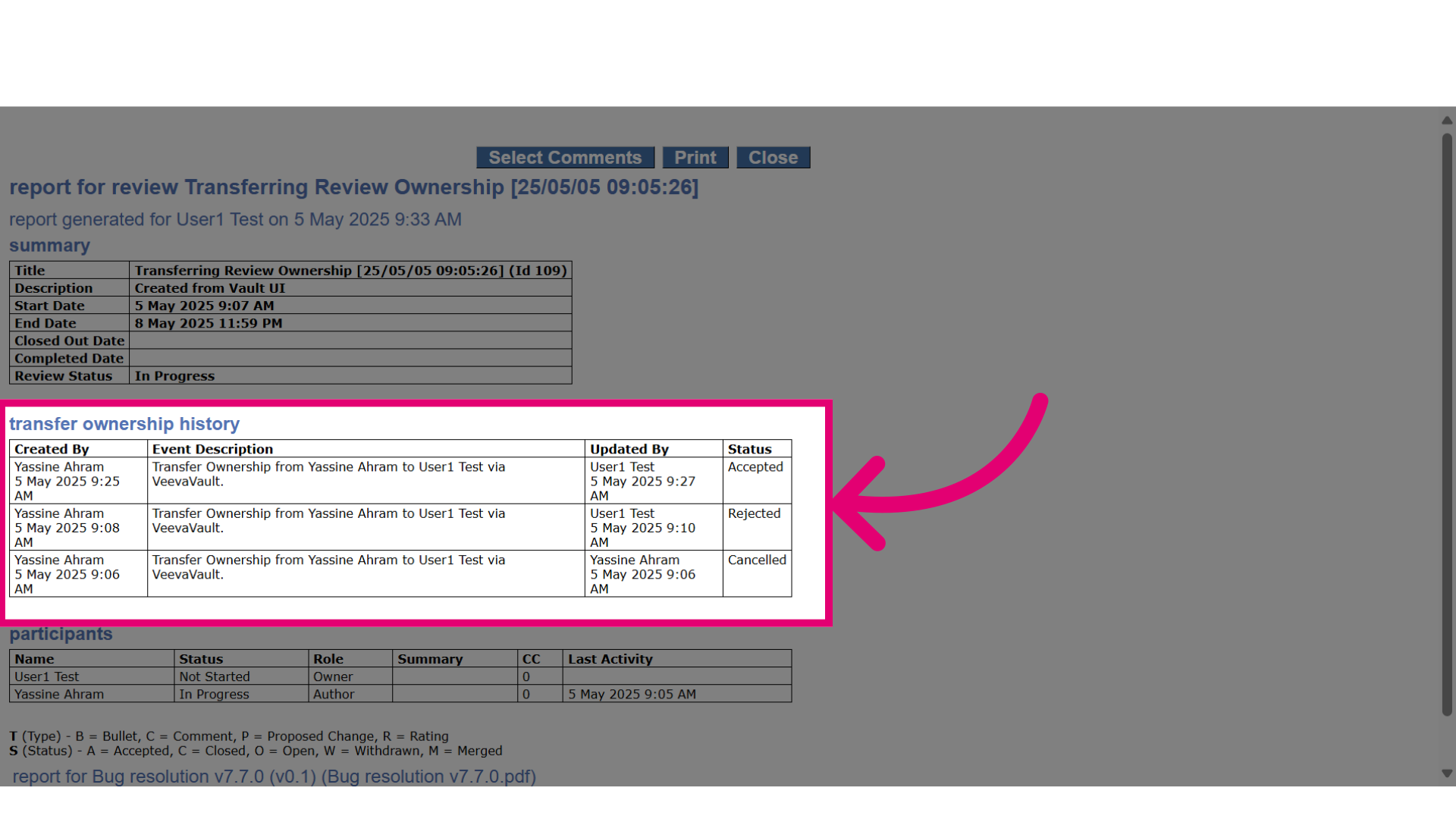
This guide walks you through how to access Transfer Ownership History details in a Veeva-centric integration. You'll learn how to open the reconciliation report, which contains all relevant information about Transfer Ownership history details.
1. Transferring ownership history
1.1. Video
1.2. Steps
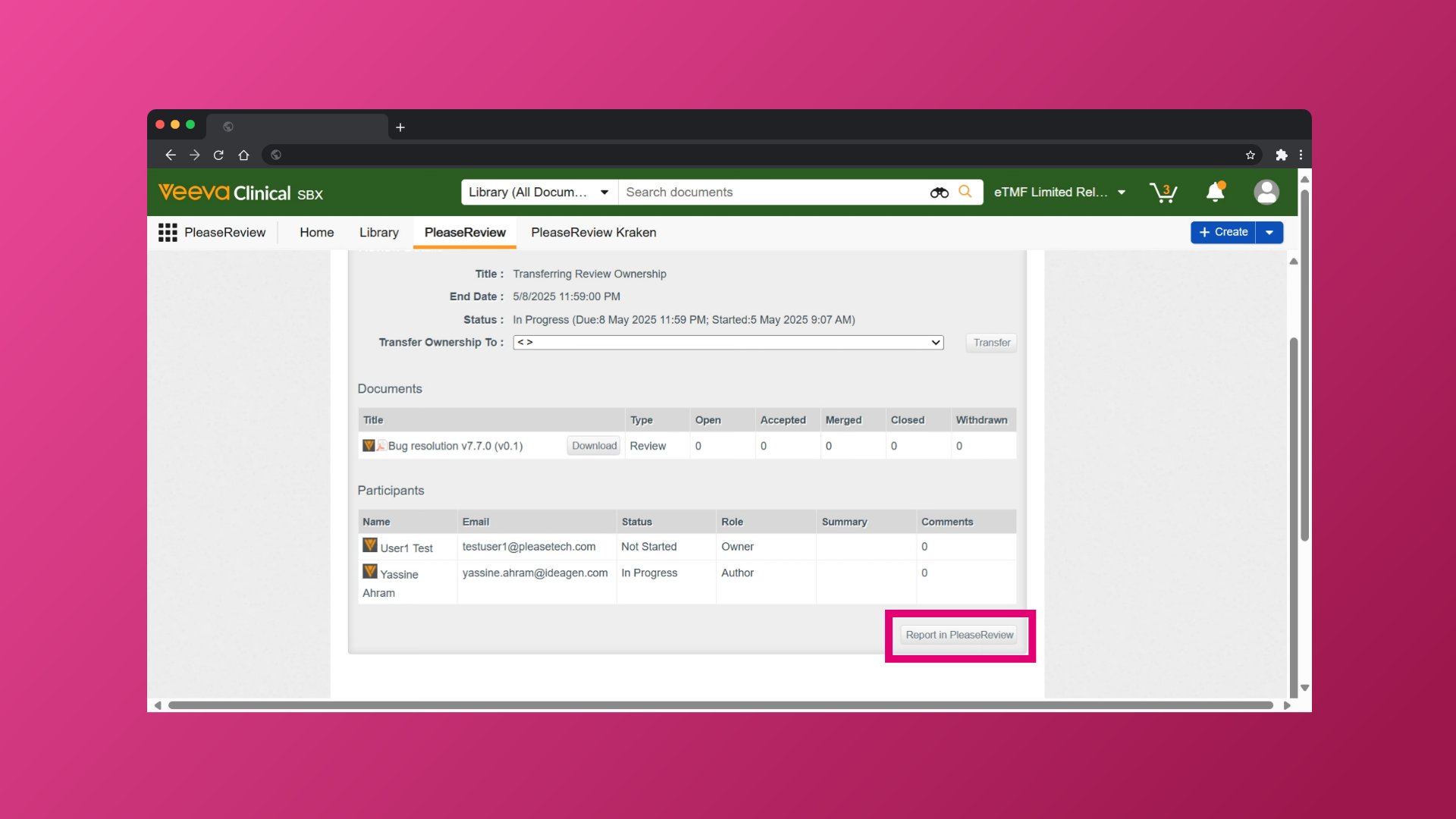
- The review owner can click the Report in Please Review button. The report will open in a new browser window and include all review details, including the transfer ownership history.
- Within the reconciliation report, the review owner can view the Transfer Ownership History section, which contains all information related to the review's ownership transfers