New article
Recently updated
Accessing the inside review and control panel via Ideagen Quality Management Professional

Who is this article for?
Users who want to learn to access the inside review and control panel via Ideagen Quality Management Professional
No elevated permissions are required.
This article showcases how to access the inside review and control panel via Ideagen Quality Management Professional.
You will learn how to navigate between the document review interface and the control panel, and how to start reviewing documents using the embedded PR Inside Review feature.
Accessing the inside review and control panel
Log into the system.
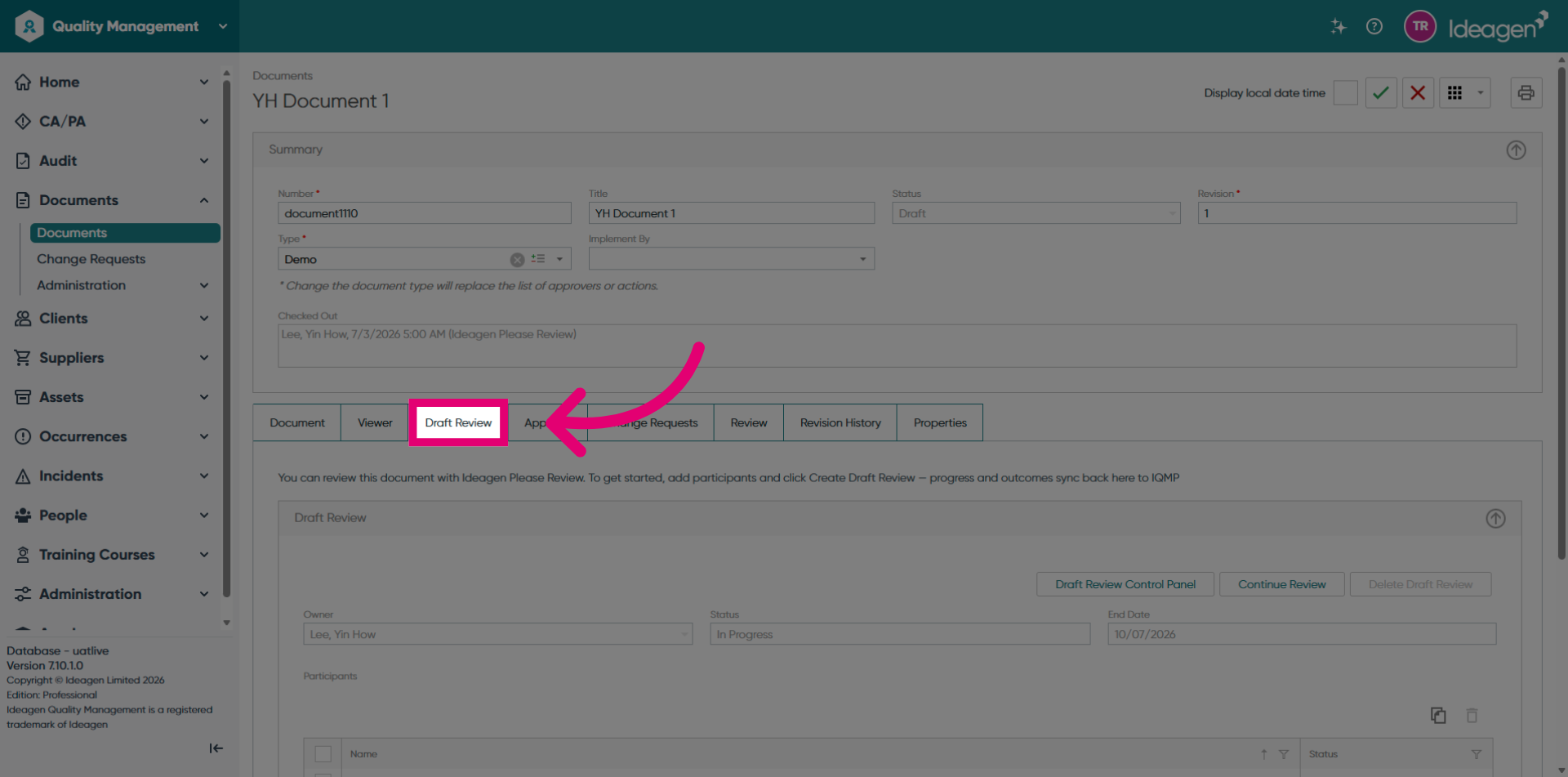
Click the Draft Review button in the Ideagen Quality Management Professional document section to access the review.
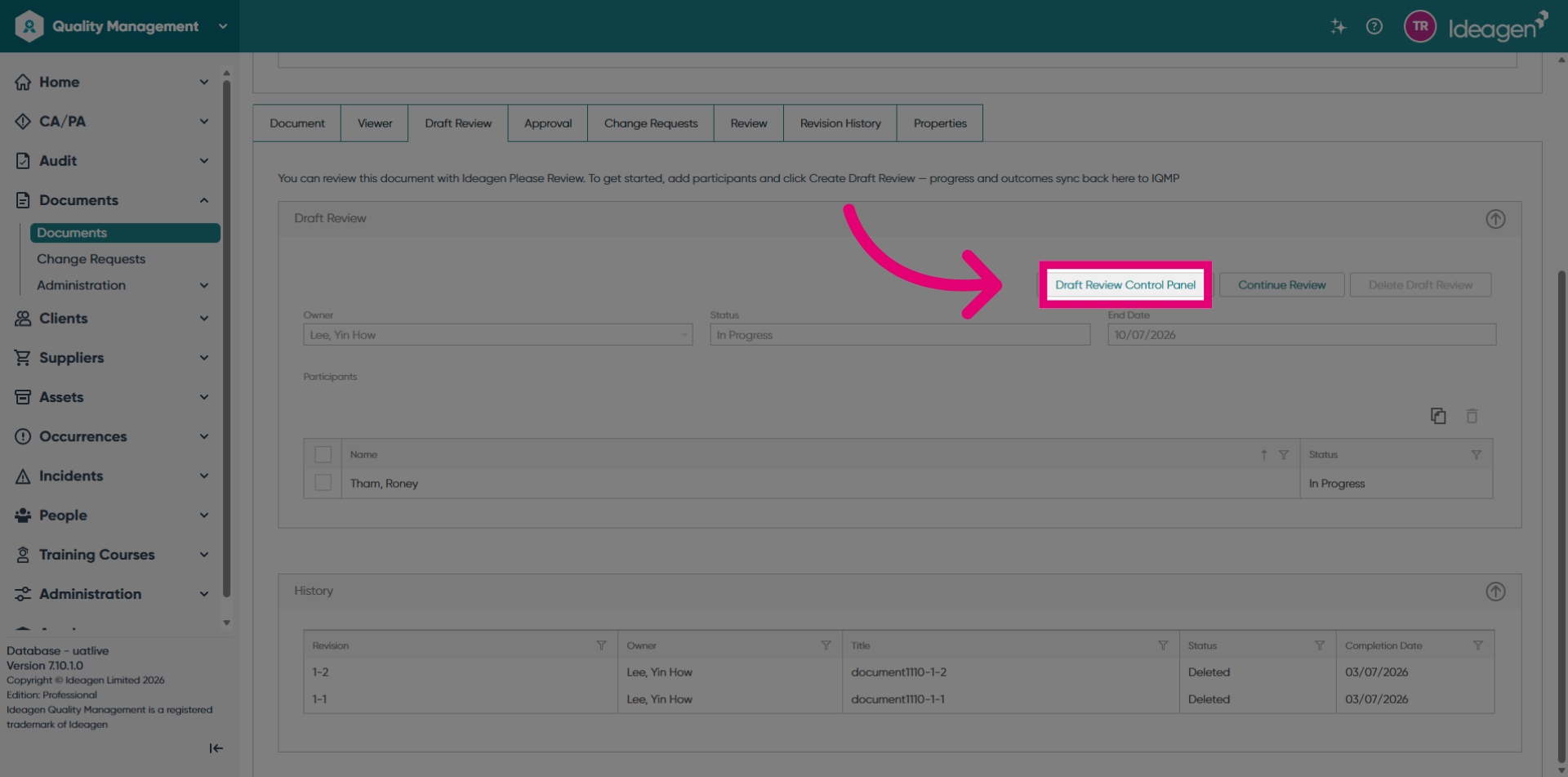
Click the Draft Review Control Panel to access the Please Review Review Control Panel.
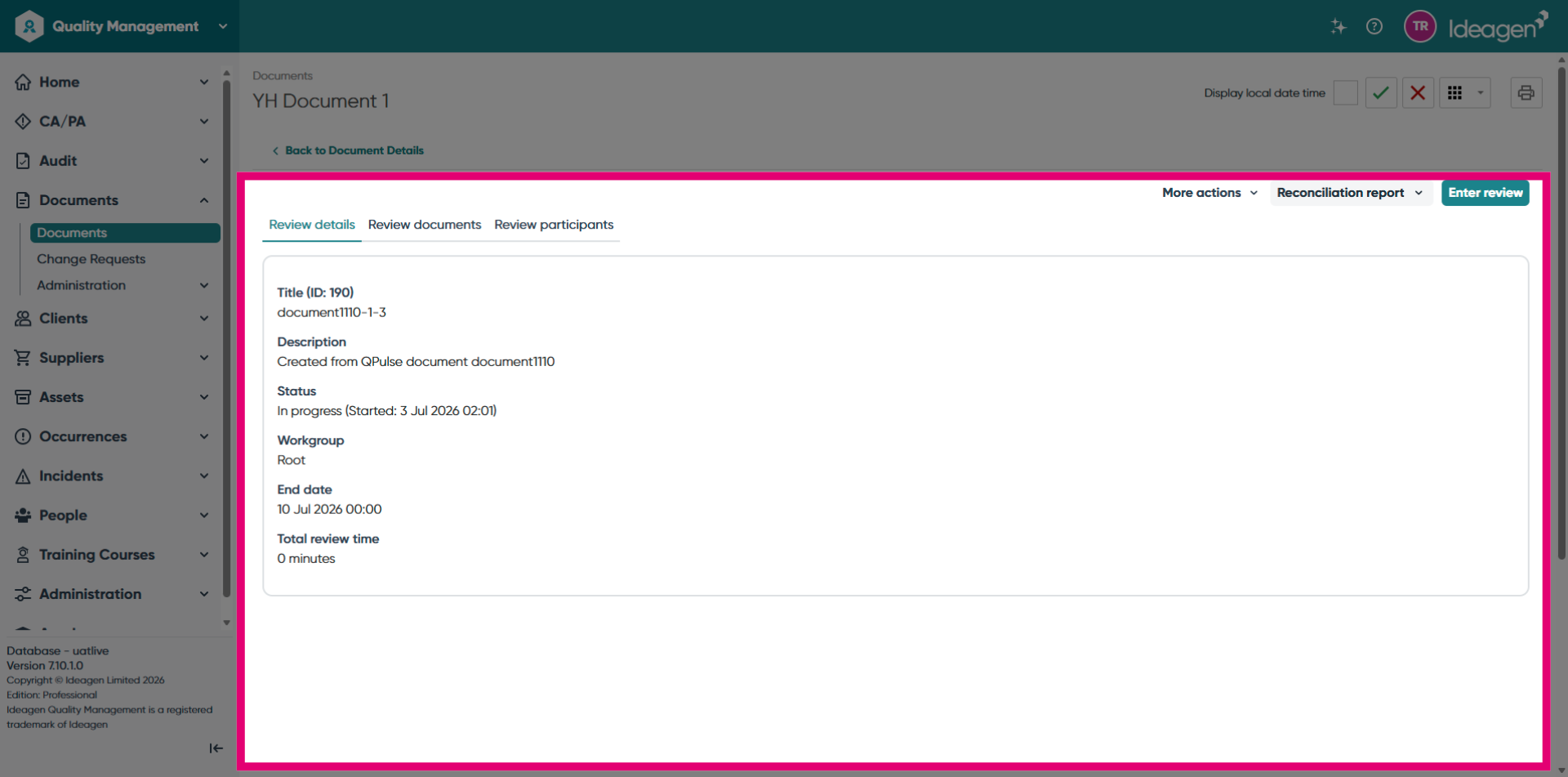
Review the Please Review Review Control Panel interface.
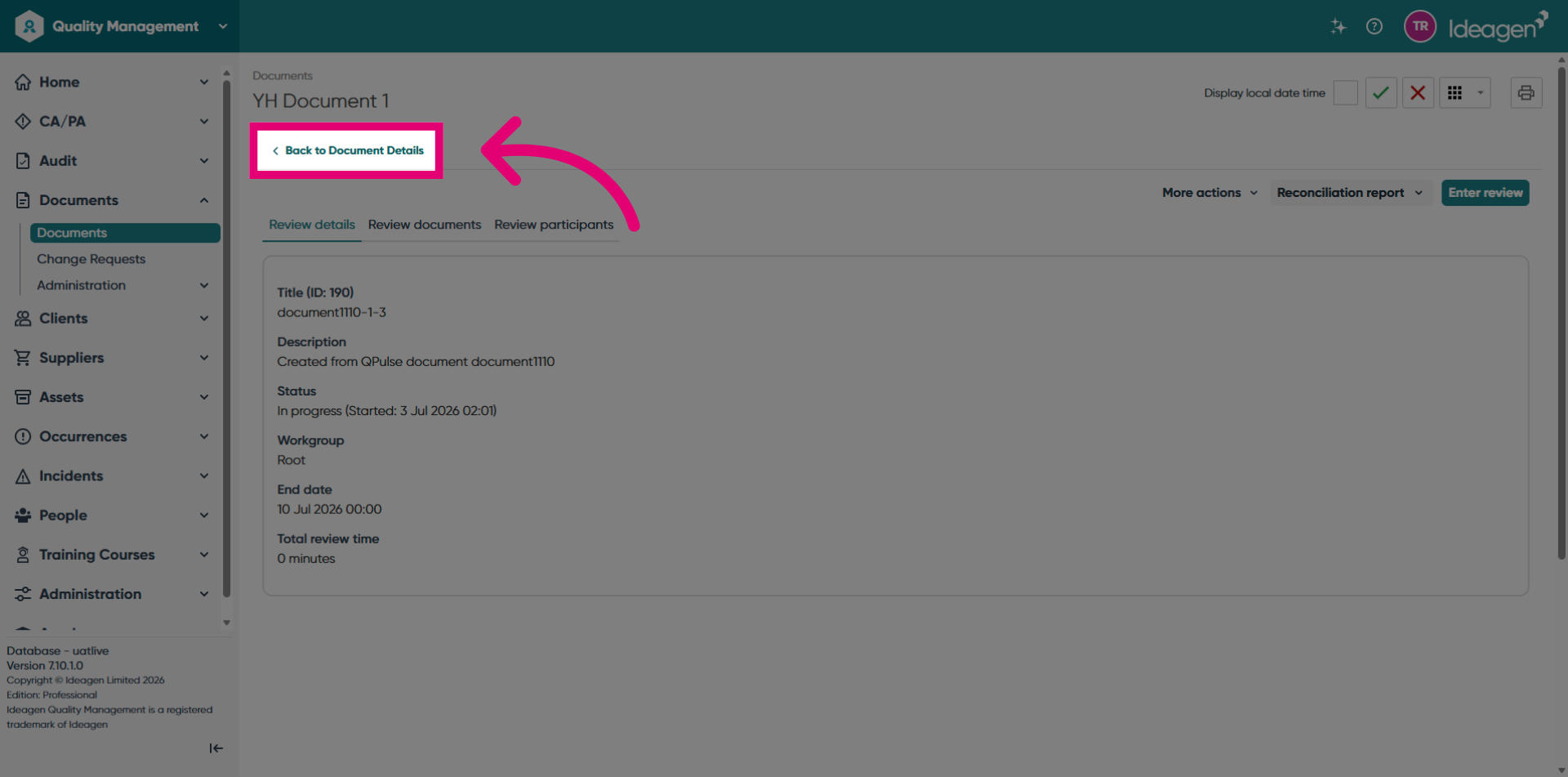
Click the Back to Document Details button to navigate back to the Ideagen Quality Management Professional document draft review page.
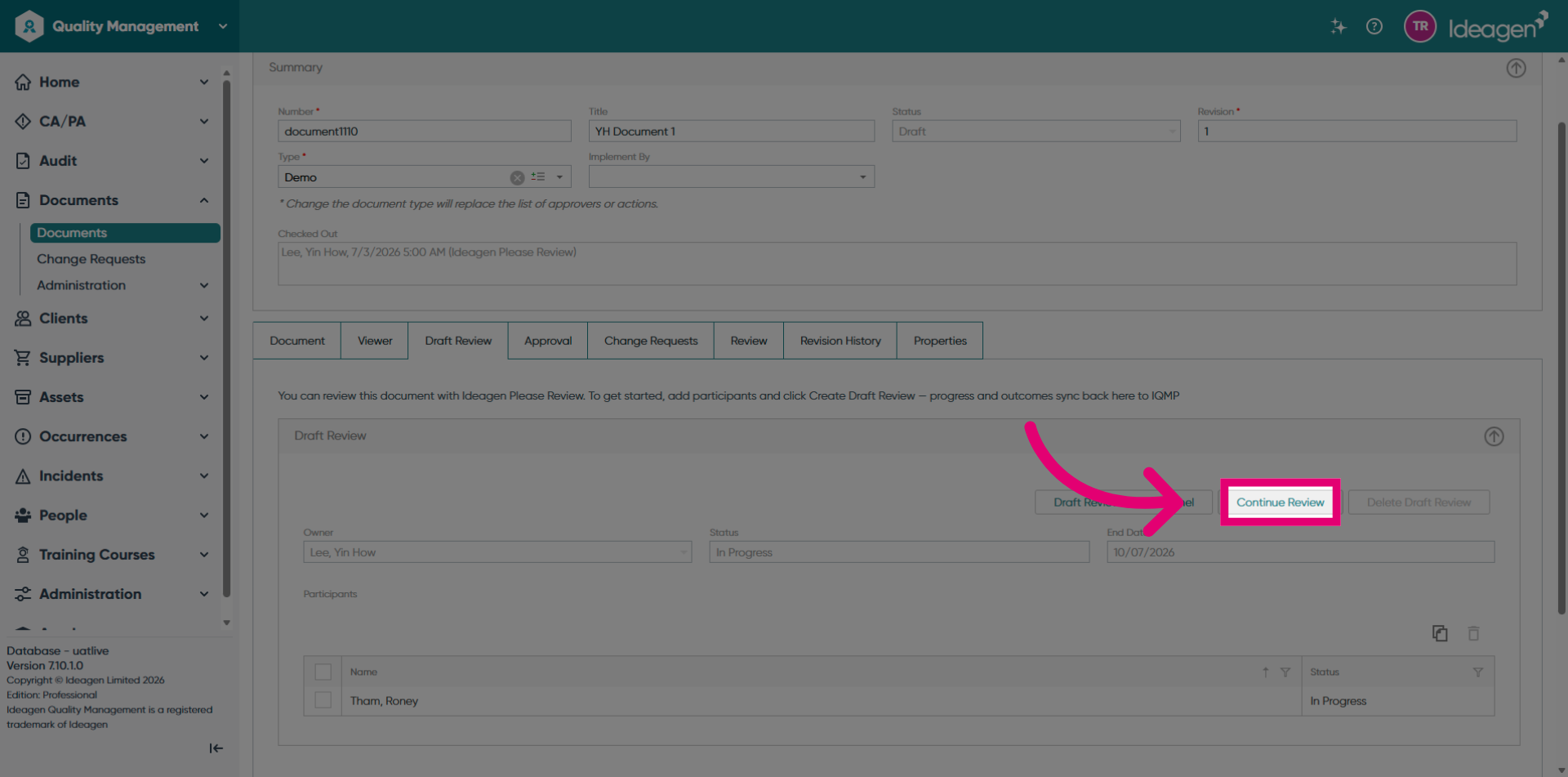
Click the Continue Review button to start reviewing the document.
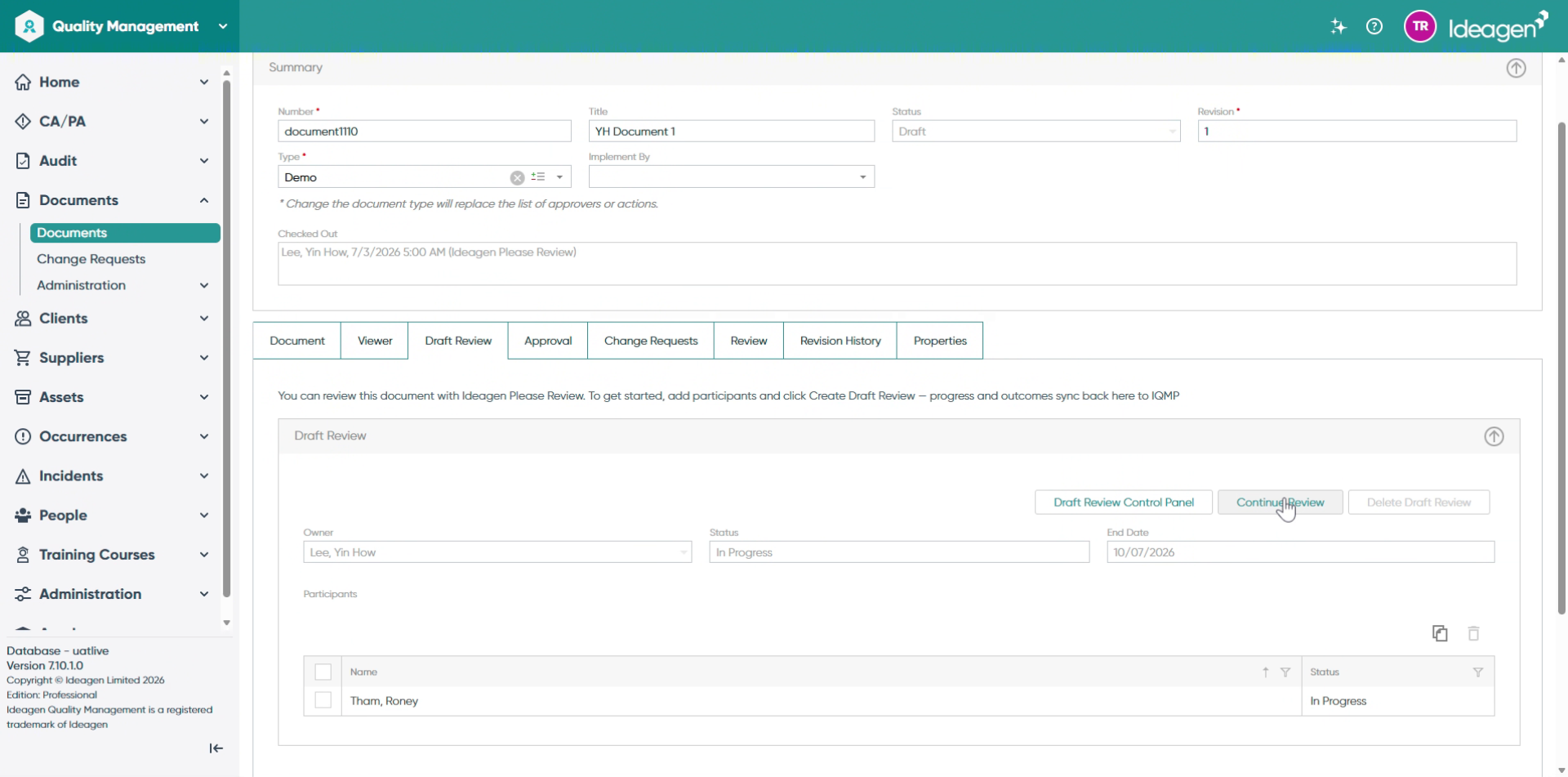
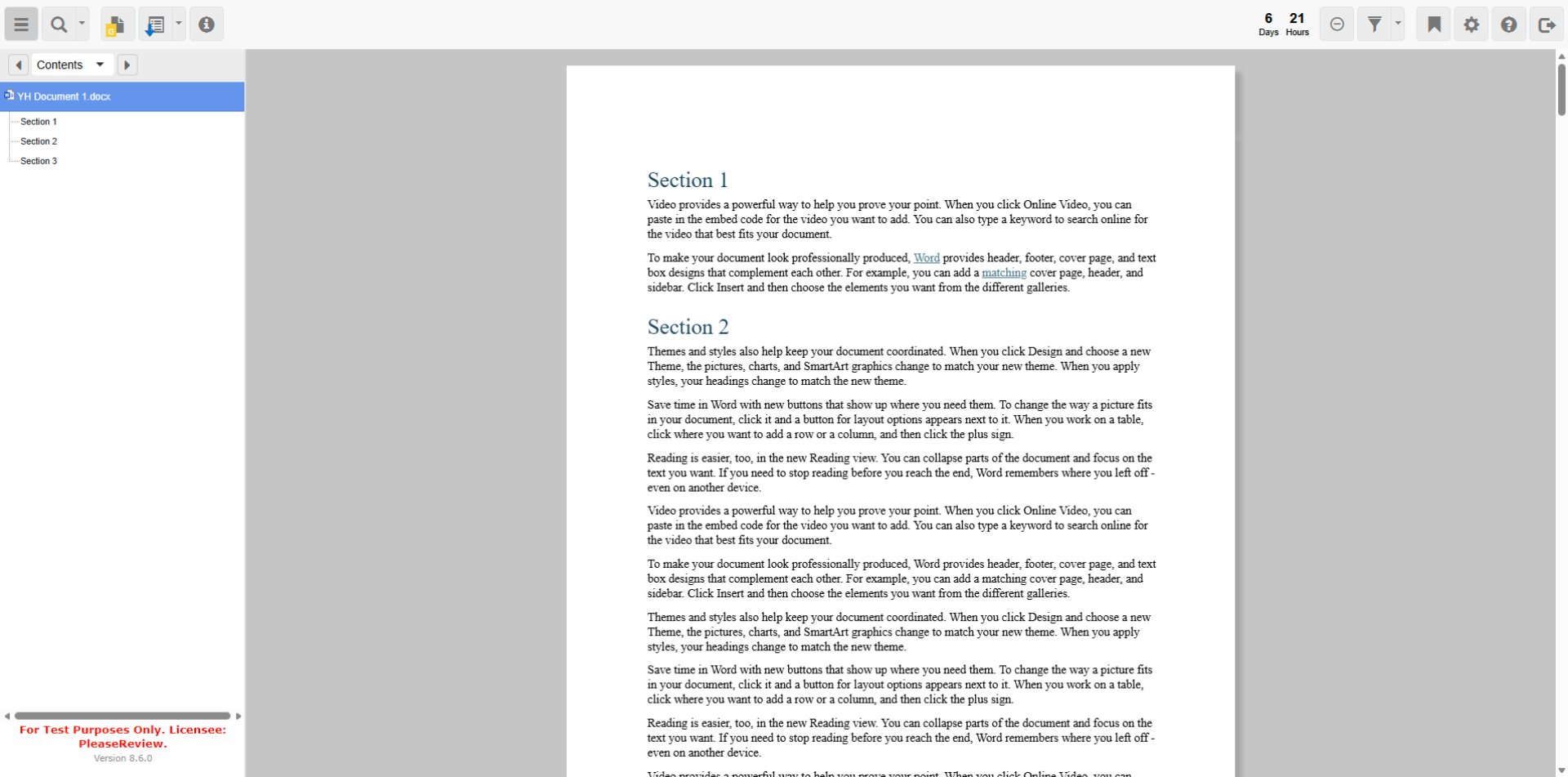
Wait for the Please Review Inside Review interface to load.
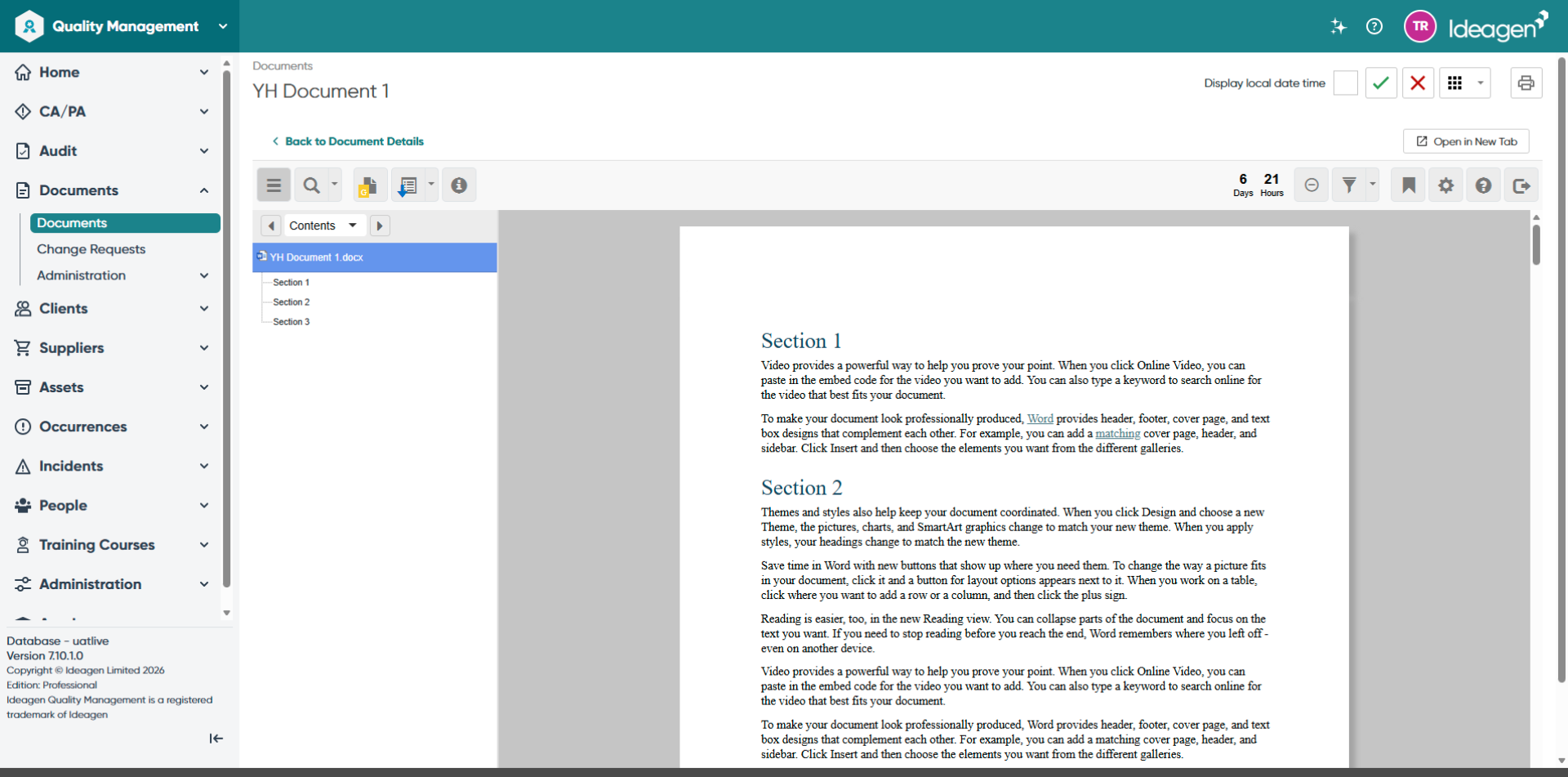
Begin reviewing the document in the Please Review Inside Review interface.
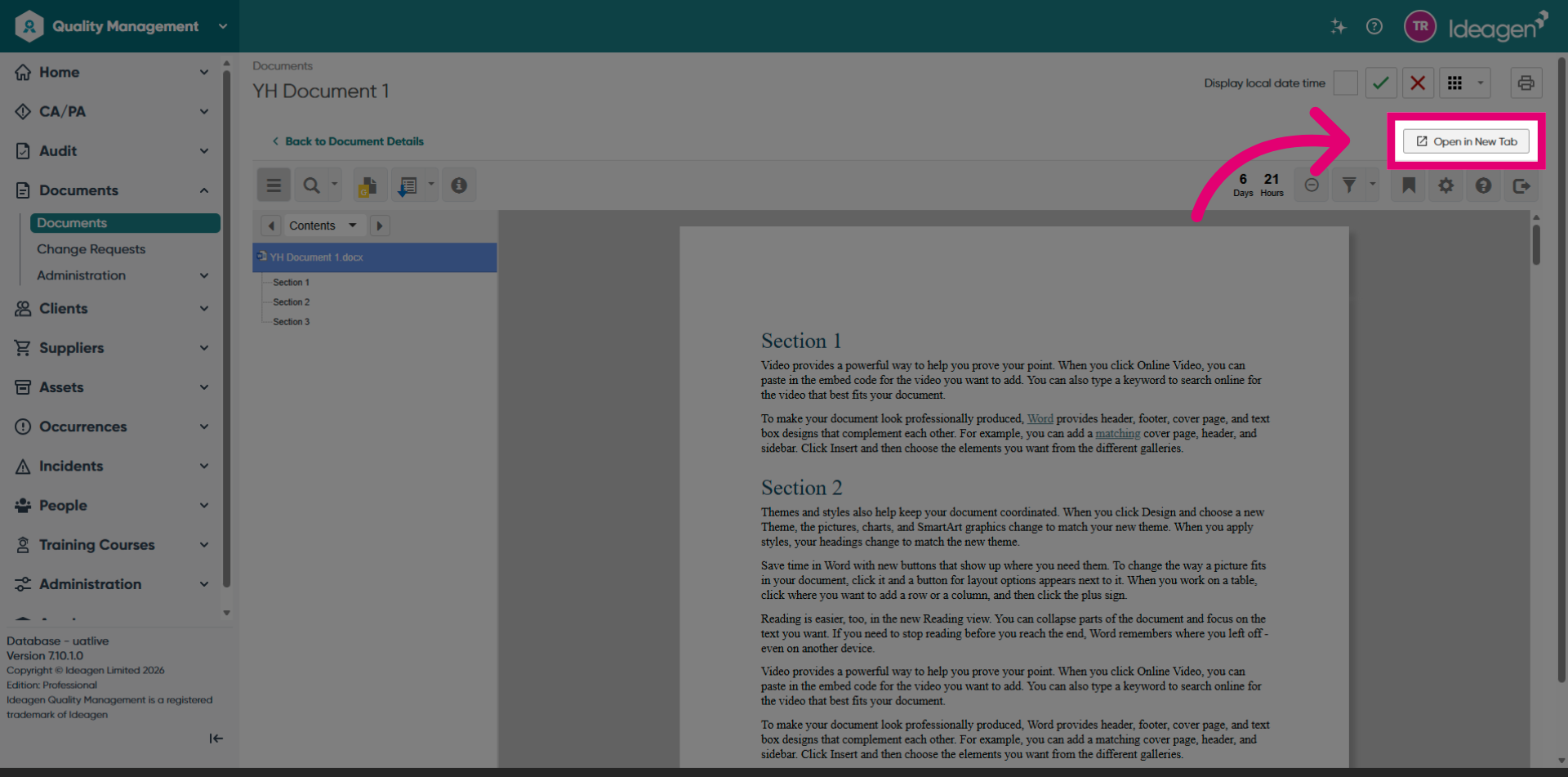
Click the Open in New Tab button to open the Inside Review in full screen in a new tab.