New article
Recently updated
Using the Review Insights (MyInsights) feature

Who is this article for?
Users who want to learn how to use the MyInsights feature.
No elevated permissions are required.
This article demonstrates how to use the MyInsights feature in the system to track review progress and manage participants.
You will learn how to view participant statuses, track contributions, and send email reminders efficiently.
1. Using the MyInsights feature
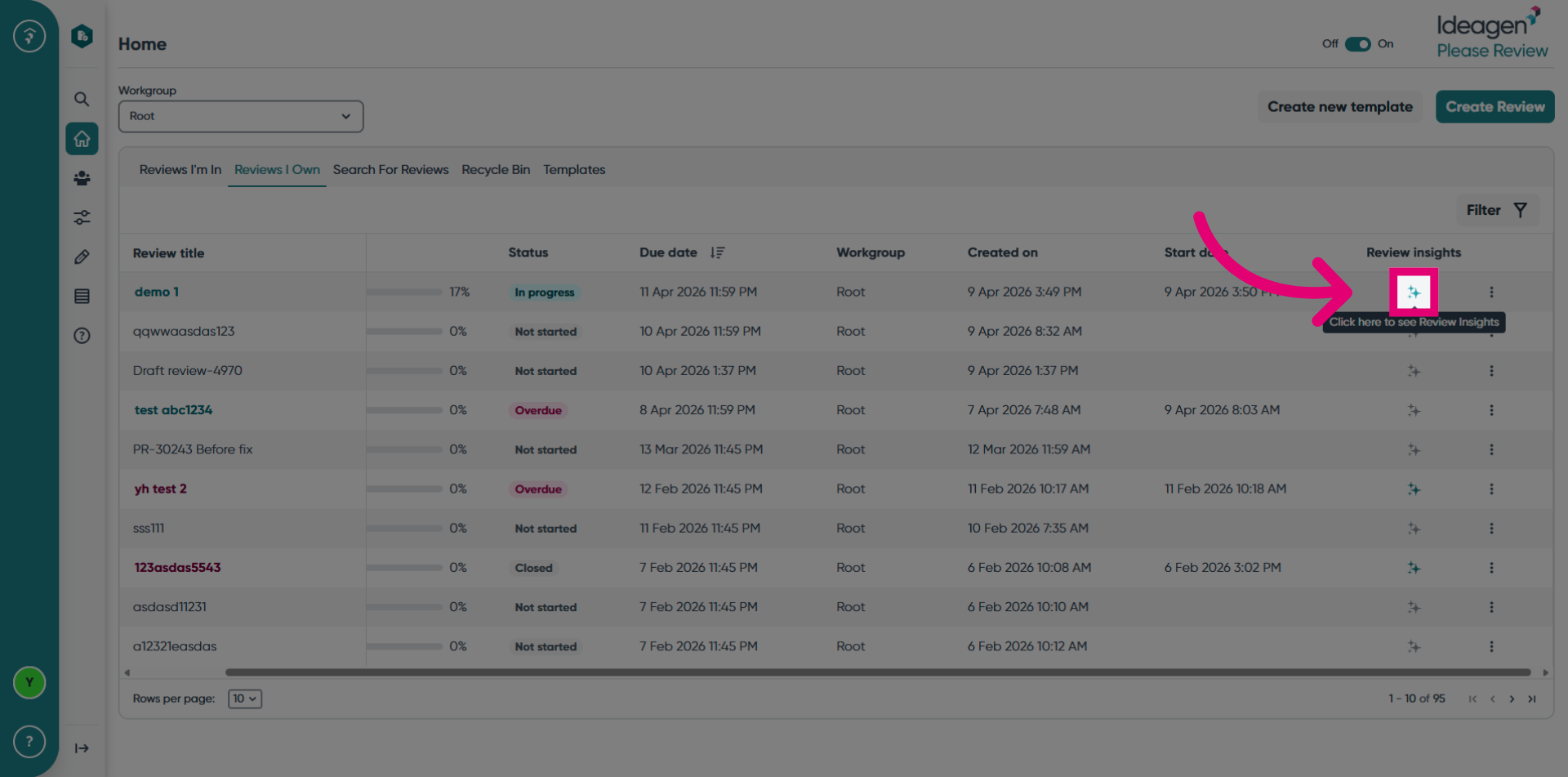
Click Review Insights to open the dashboard.
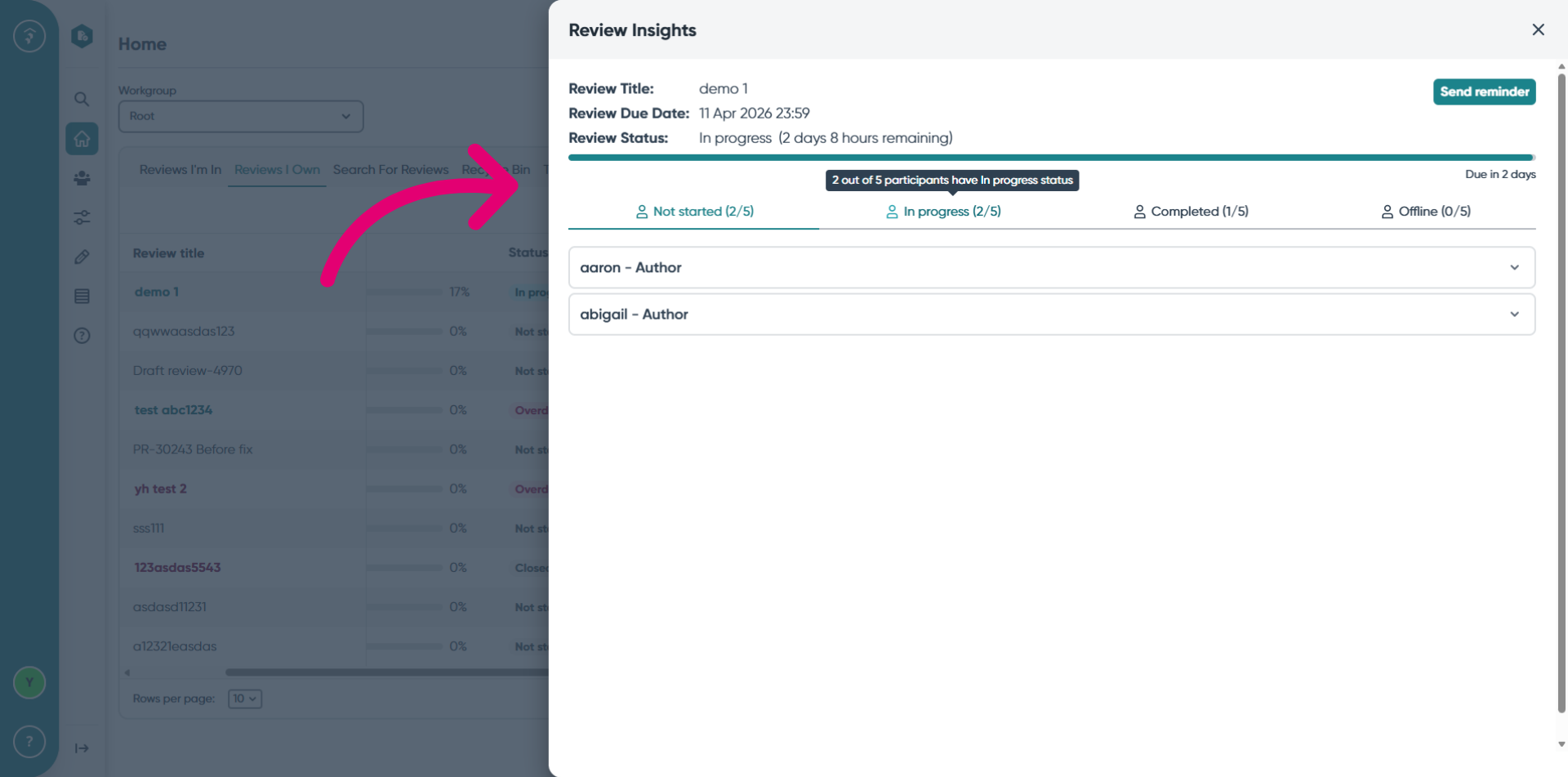
View the review details in the top part of the drawer and participants grouped by status in the bottom part.
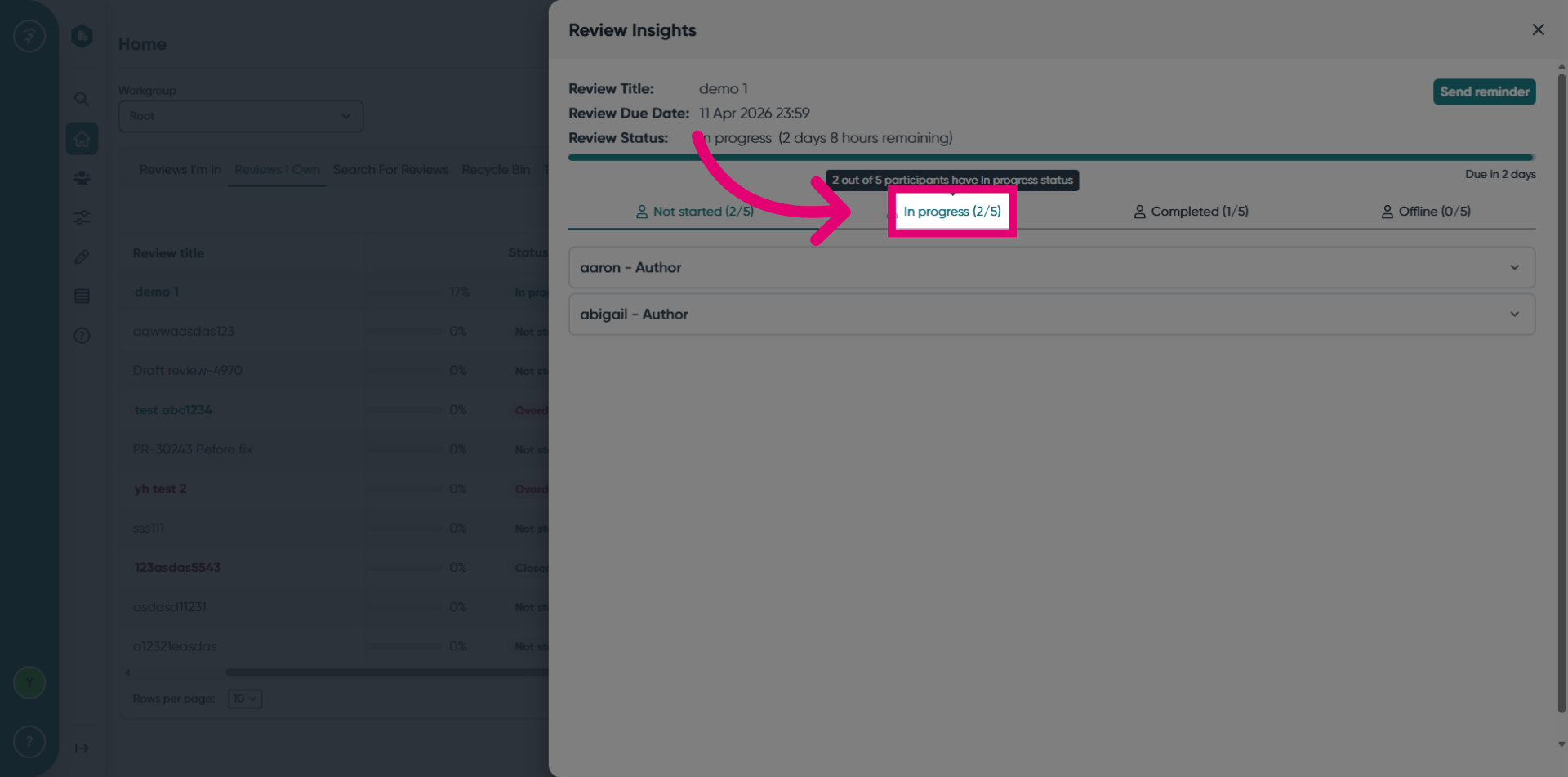
Click the In Progress status tab to view participants in this status.
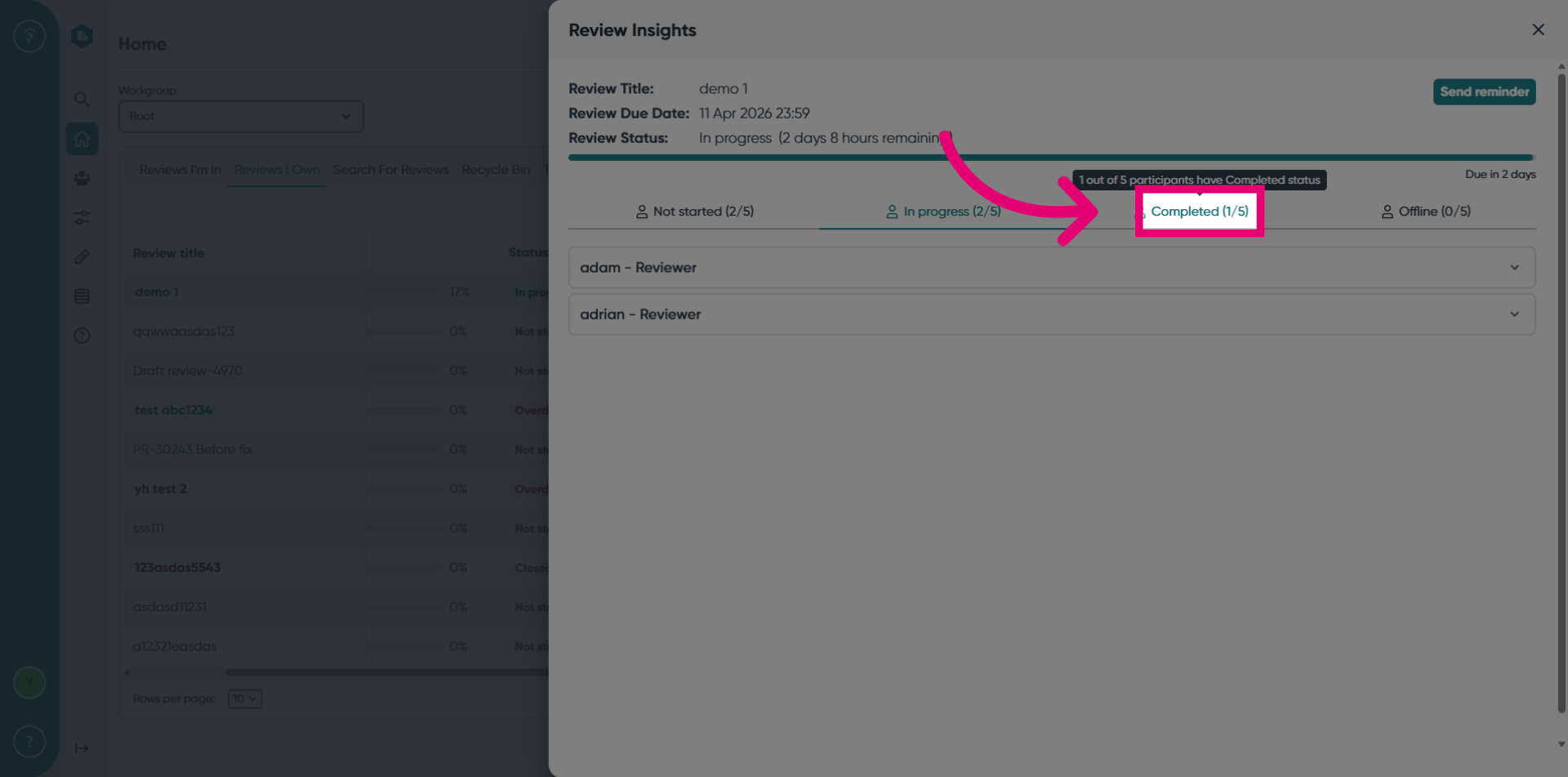
Click the Completed status tab to view participants in this status.
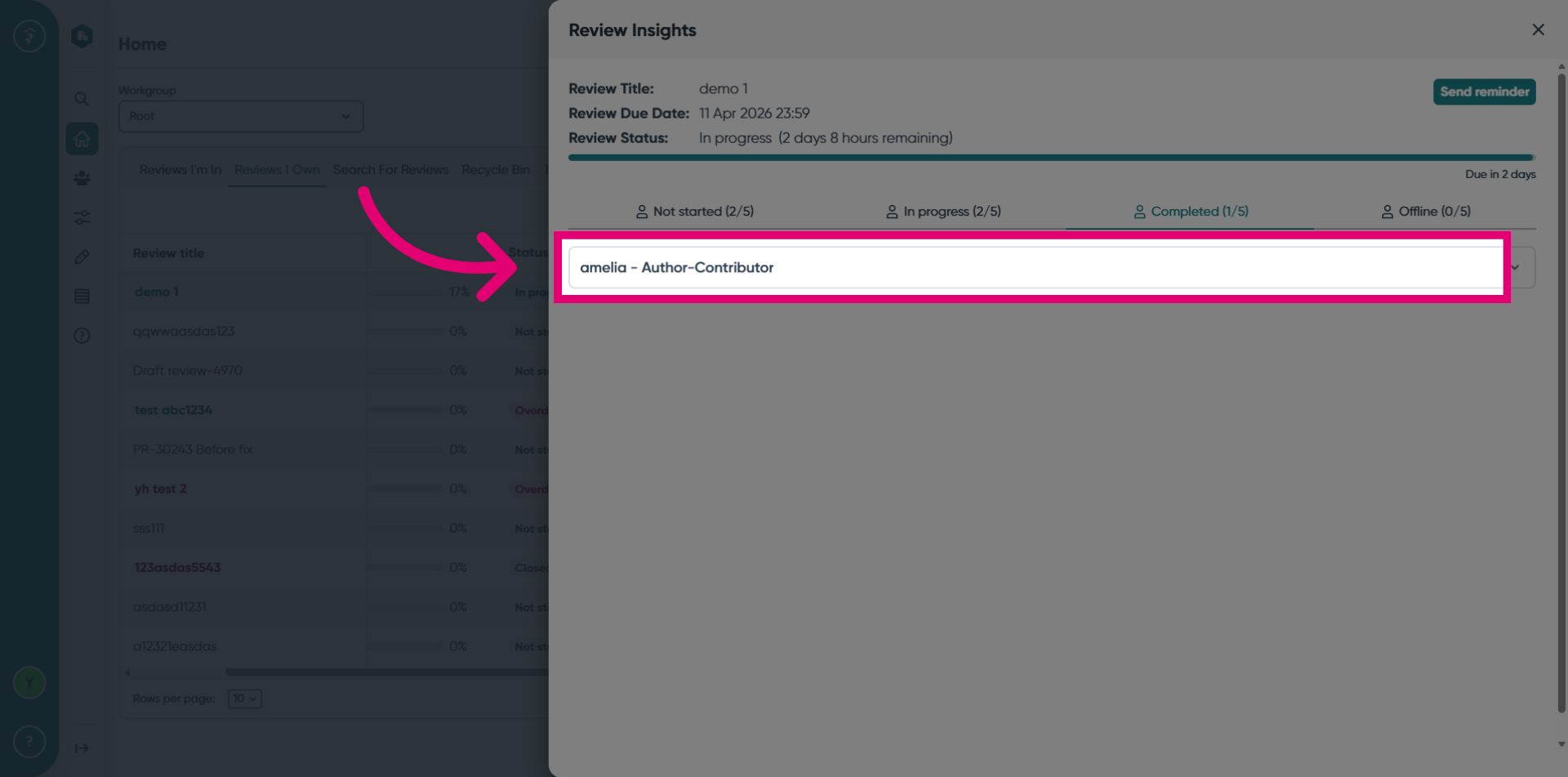
Click the participant's name to view their contributions. The participant role is shown next to each name.
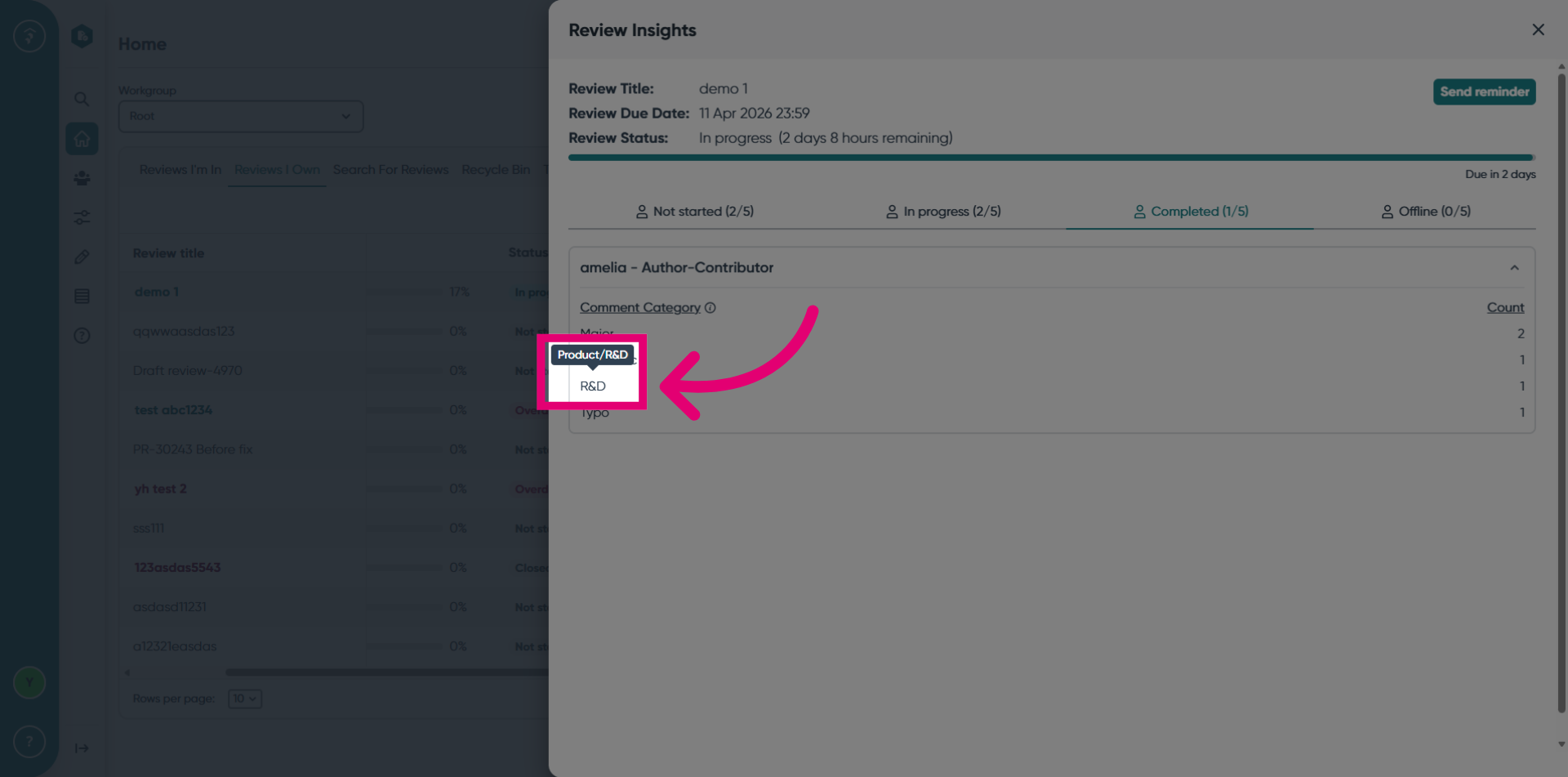
Hover over the R&D comment category to view the full comment category path.
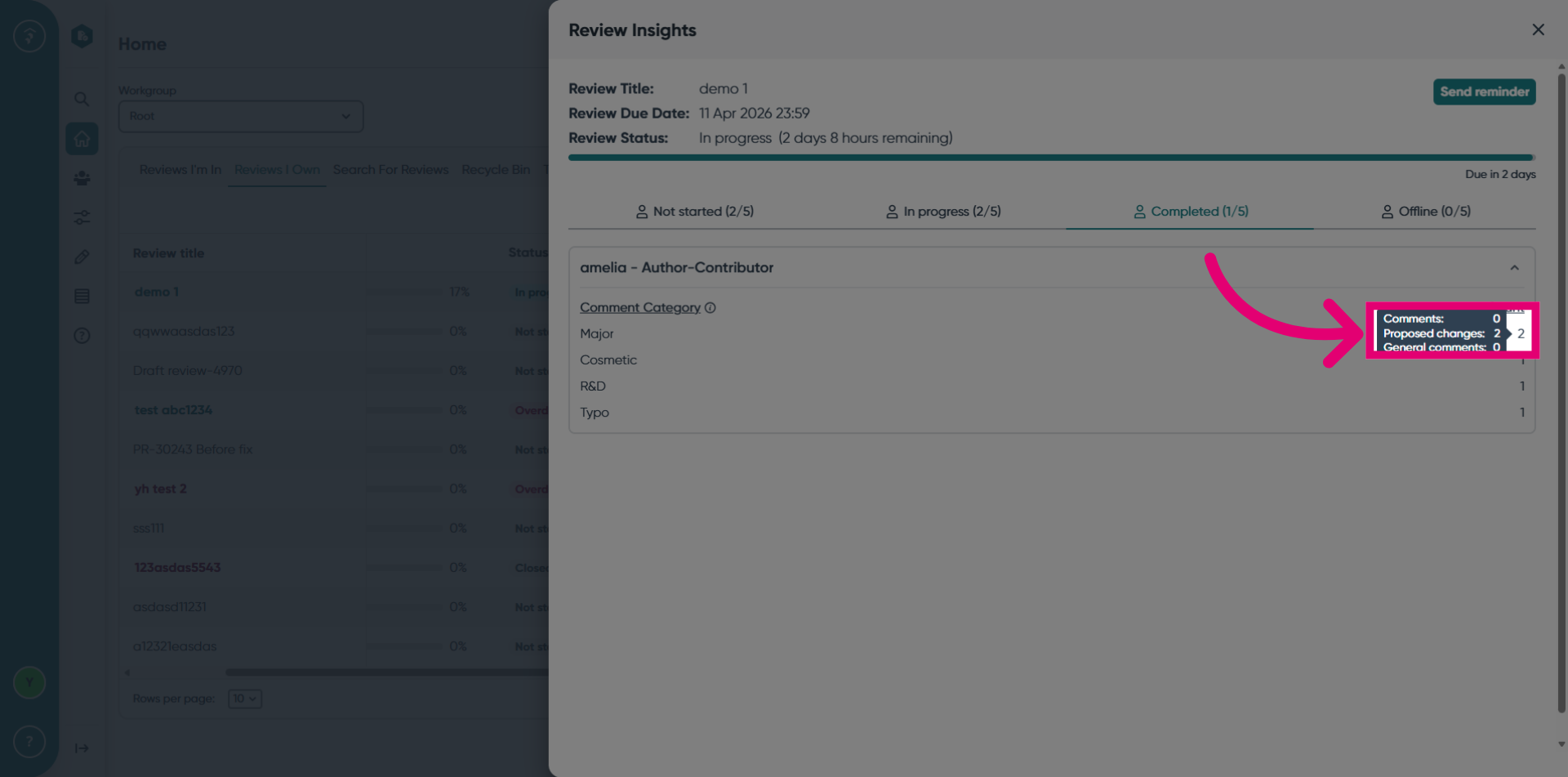
Hover over the count to view the breakdown of the changes.
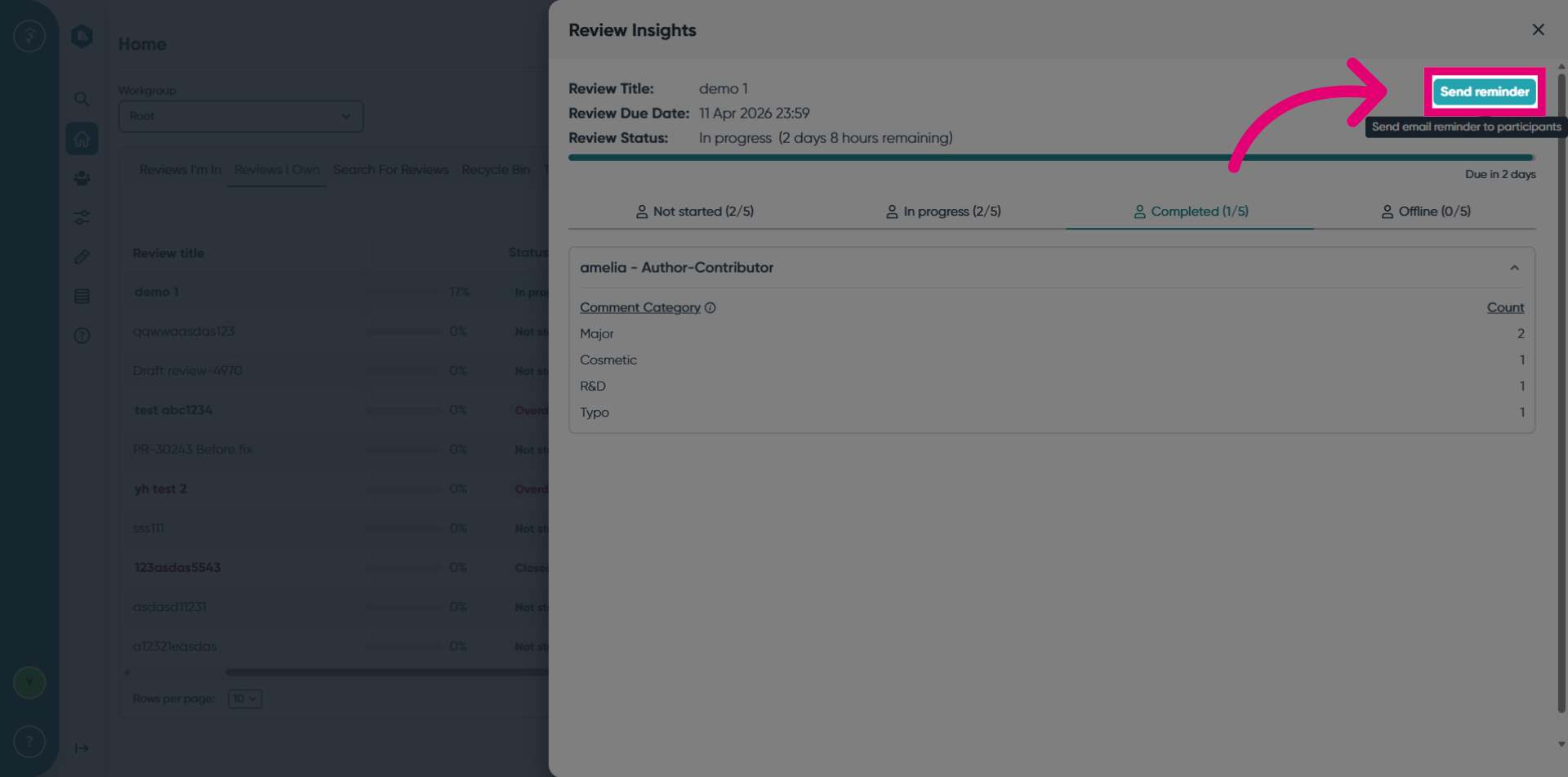
Click the Send Reminder button to send an email reminder to the participants.
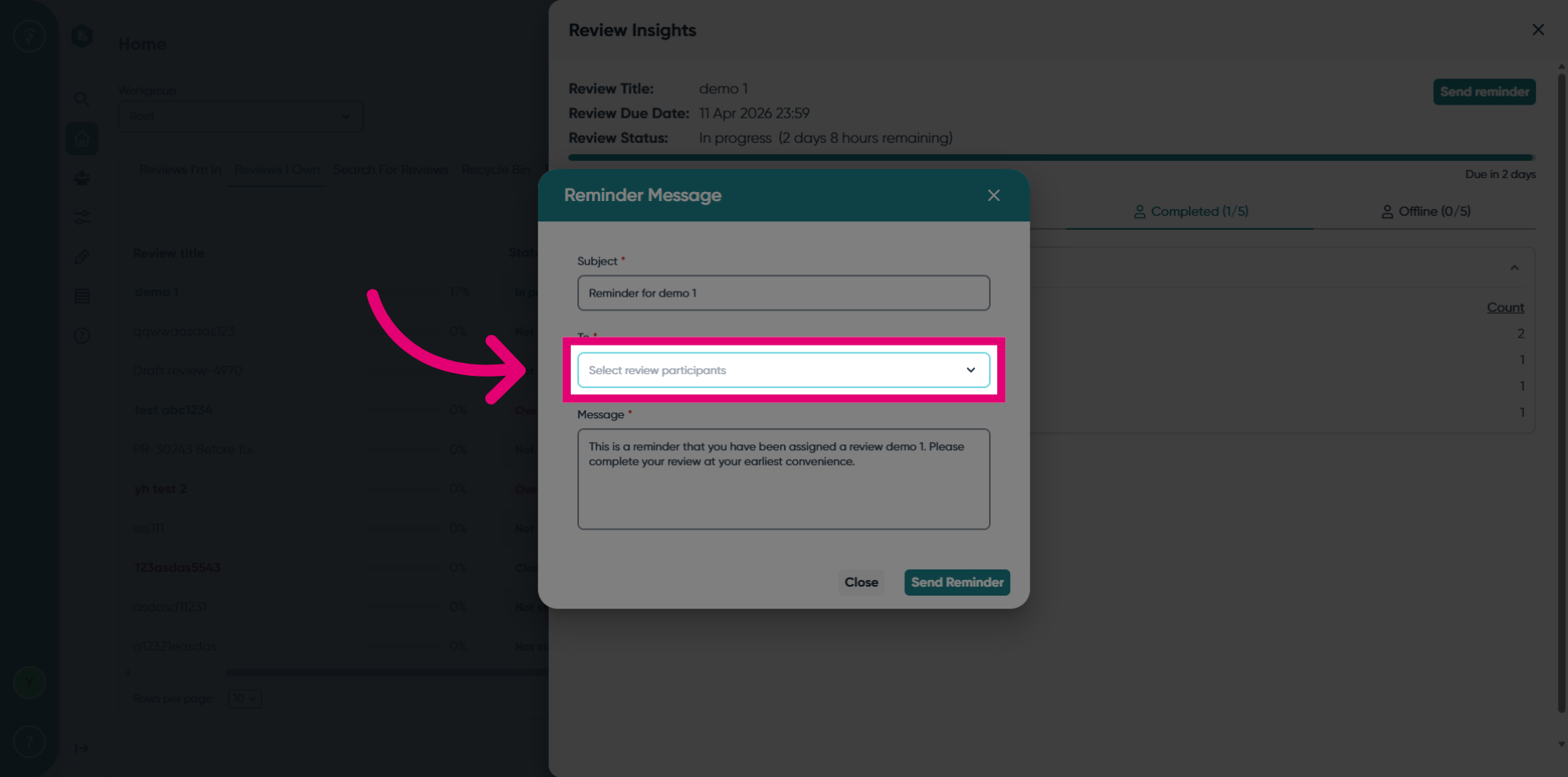
Click the Select Review Participants dropdown to choose the recipient.
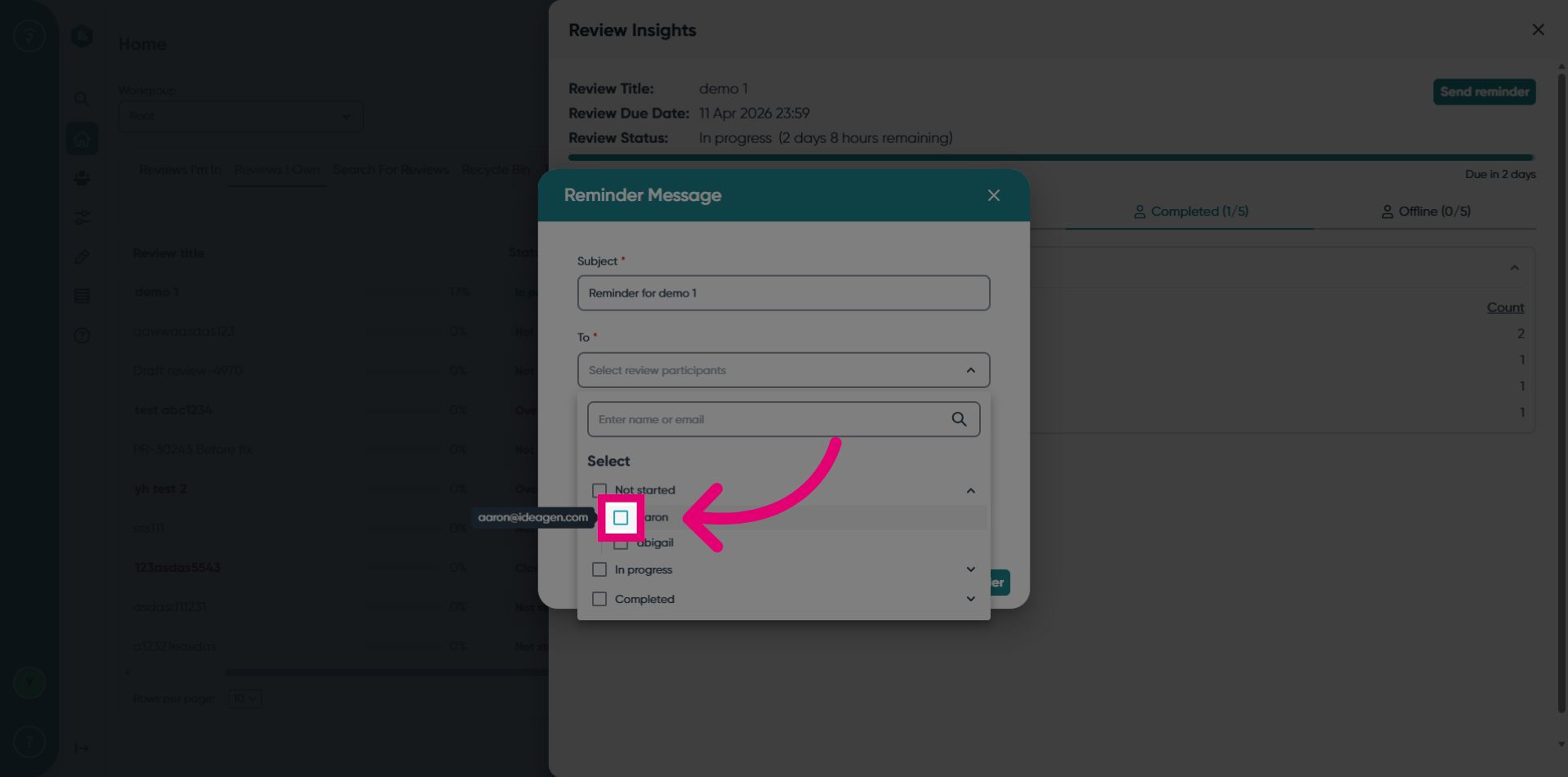
Select the participants status from the available options.
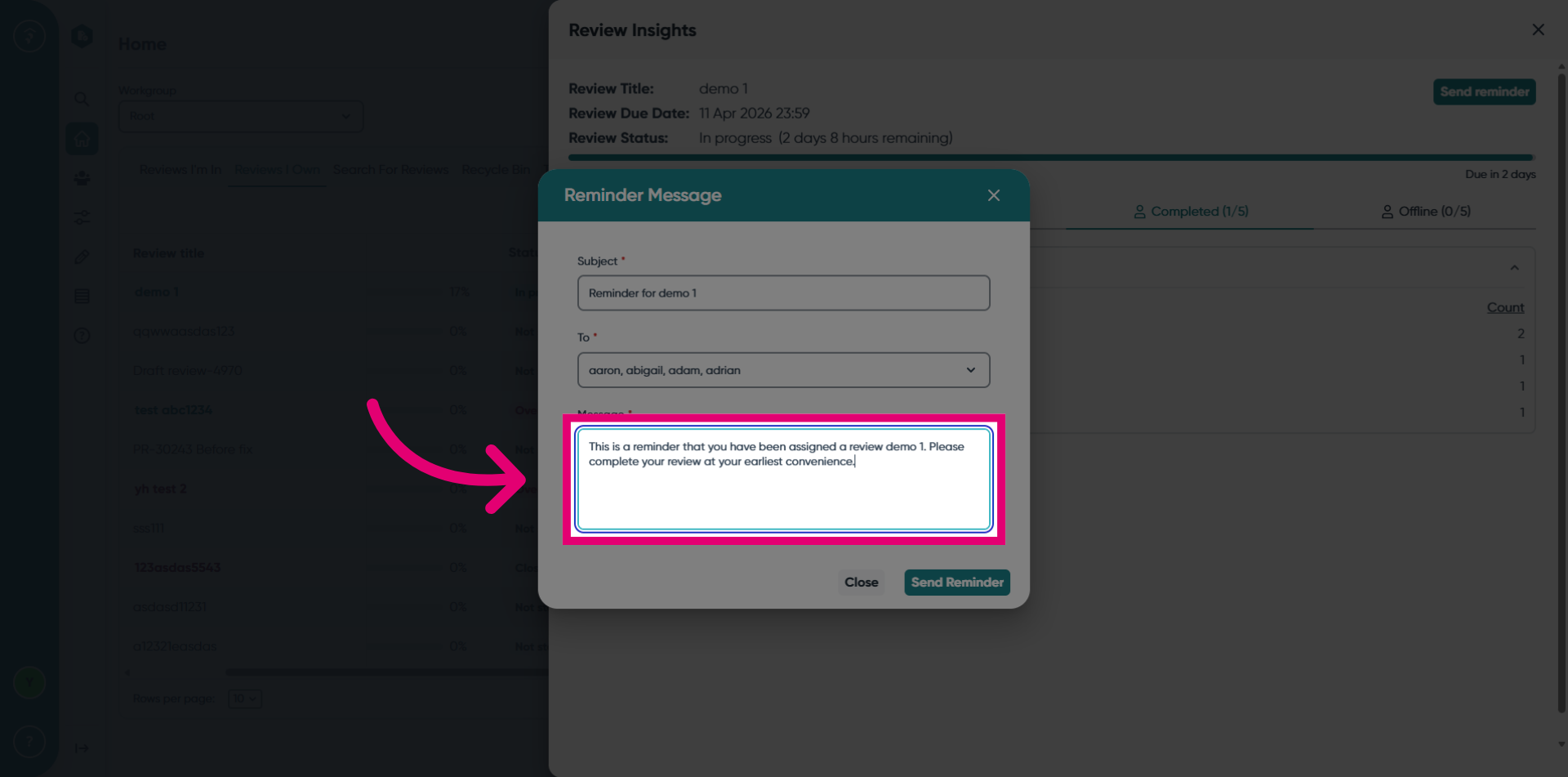
Customize the email reminder content as needed.
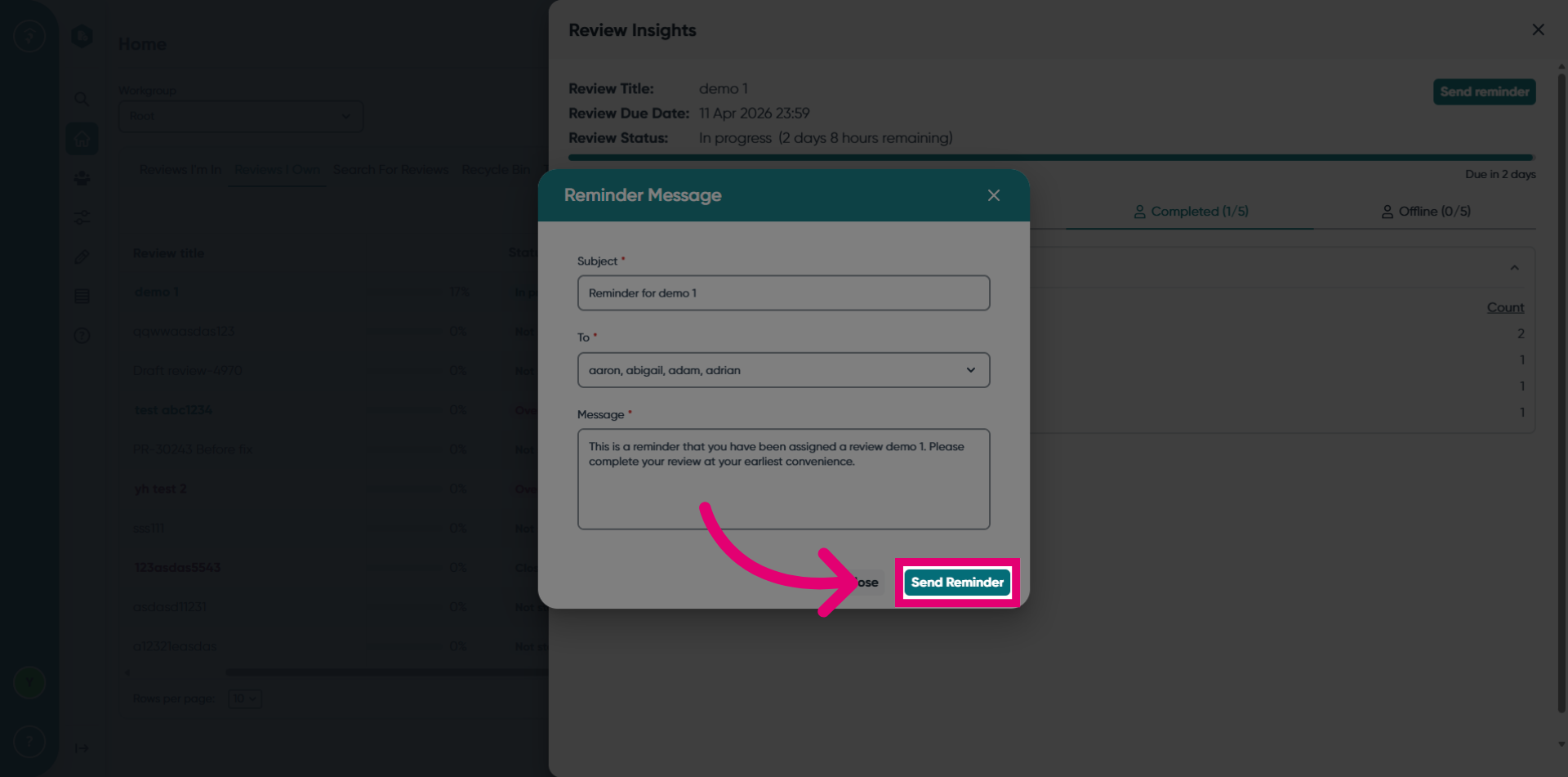
Click the Send Reminder button to schedule the email reminder.
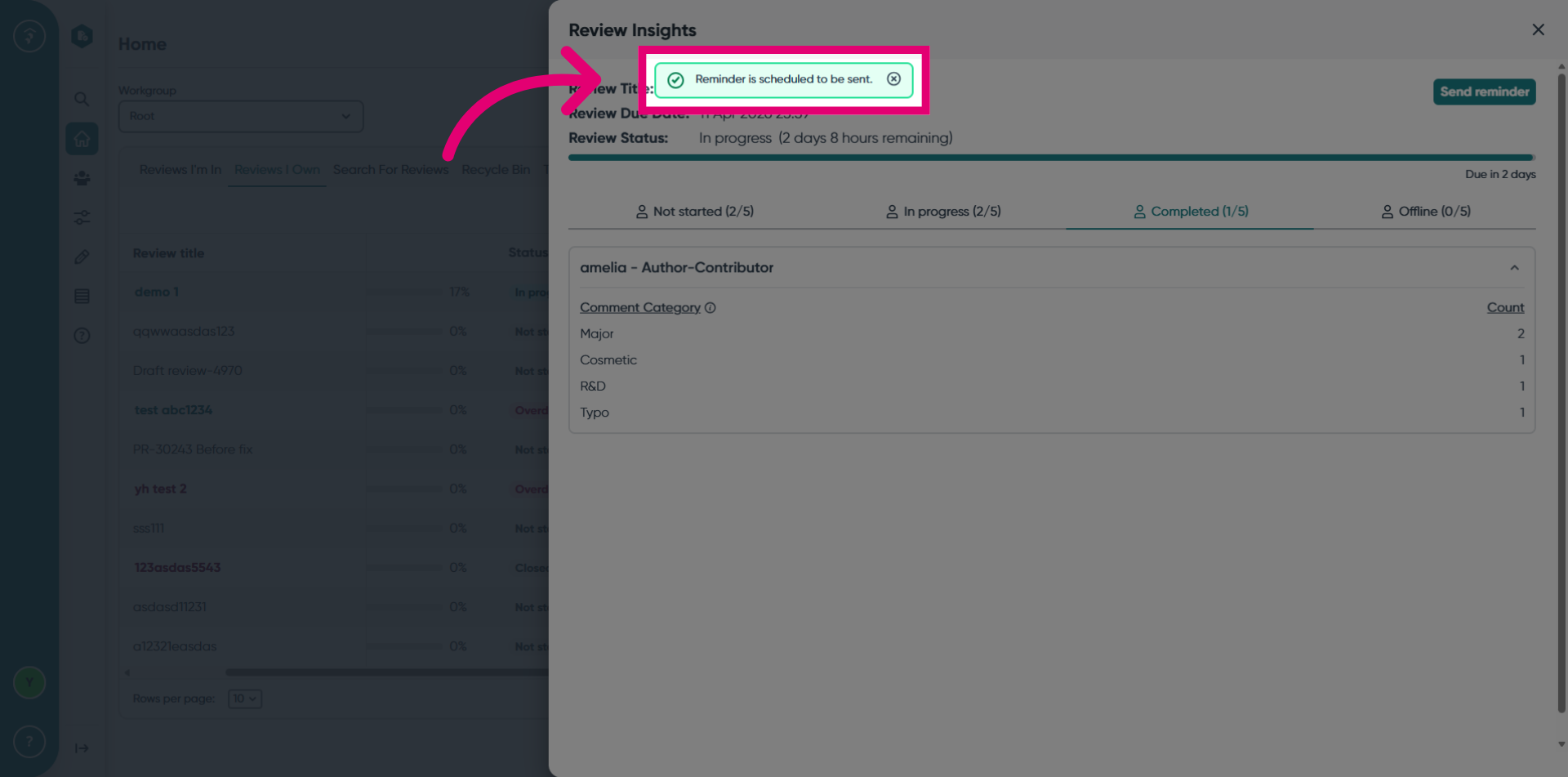
Confirm that the email reminder has been successfully scheduled to be sent.