New article
Recently updated
Withdrawing a transfer ownership request

Who is this article for?Users who want to withdraw a transfer ownership request.
No elevated permissions are required.
This guide focuses on canceling a Transfer of Ownership request within a Veeva-centric integration. You'll learn how to withdraw a request and complete the cancellation process.
See Accepting a transfer ownership request for the next steps of the process.
1. Withdrawing a transfer ownership request
1.1. Video
1.2. Steps
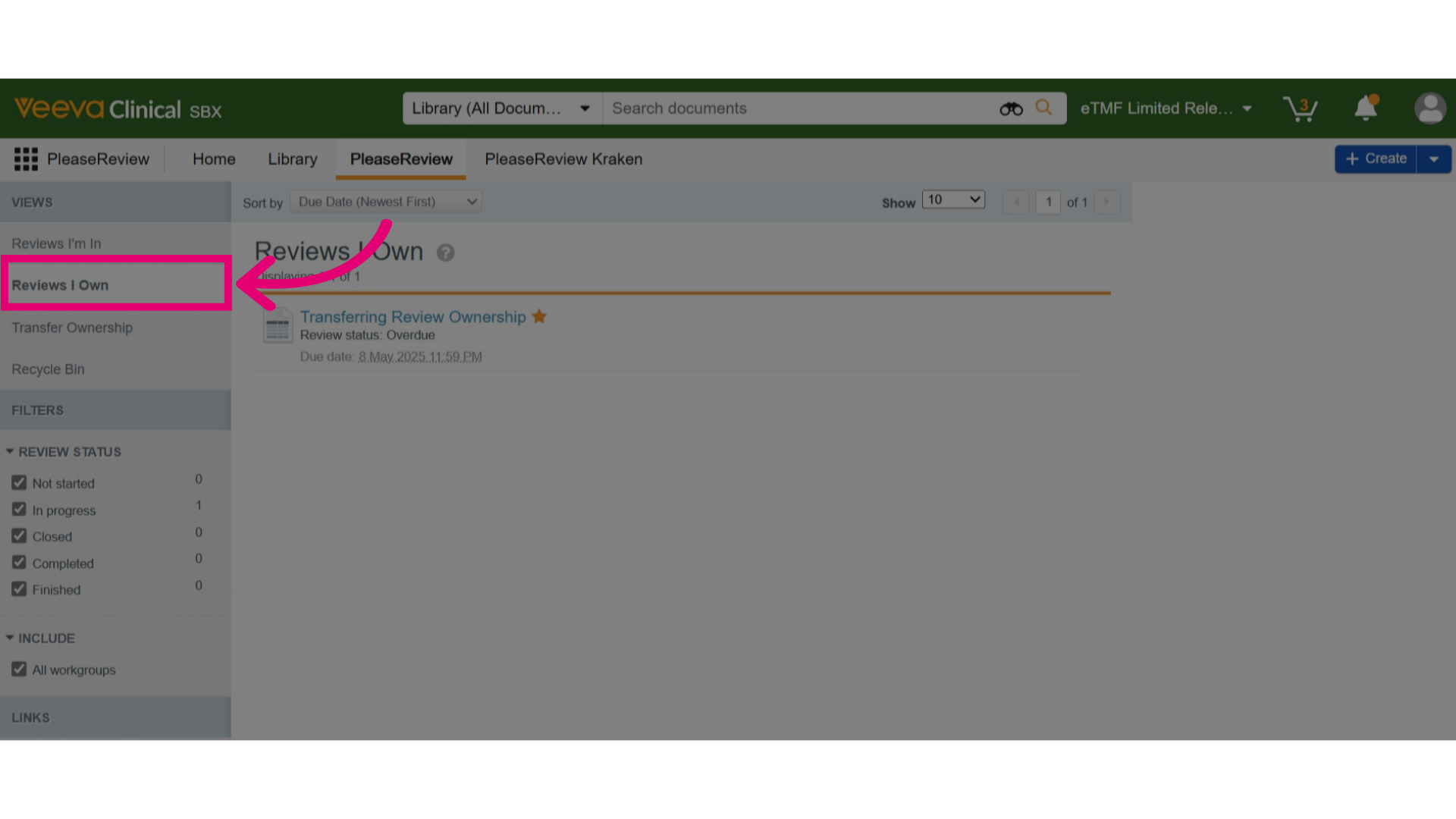
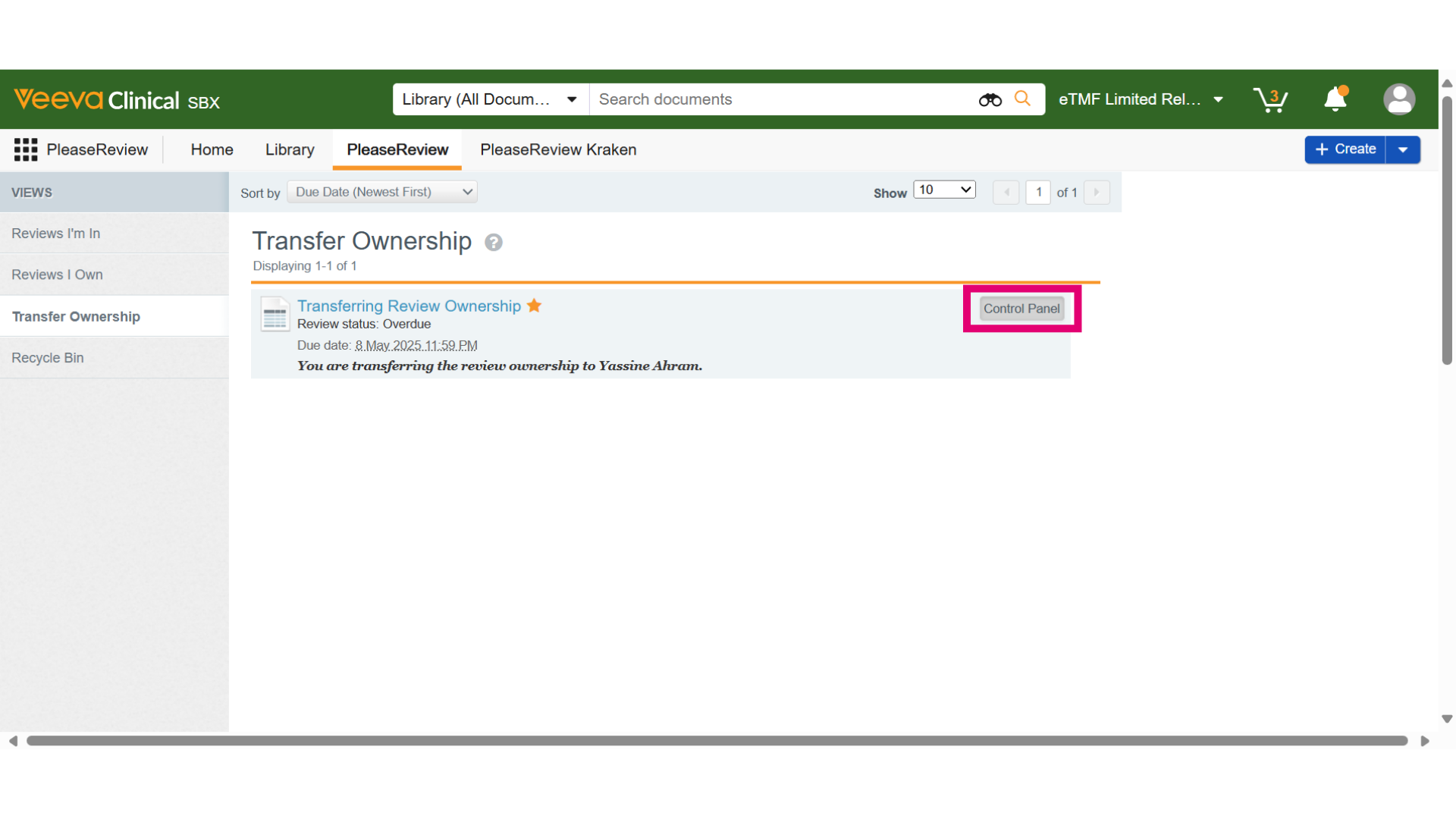
- Review Owners can withdraw unaccepted transfer ownership requests. Go to the Transfer Ownership view, find the review in the Transfer Ownership Inbox, and click Control Panel.
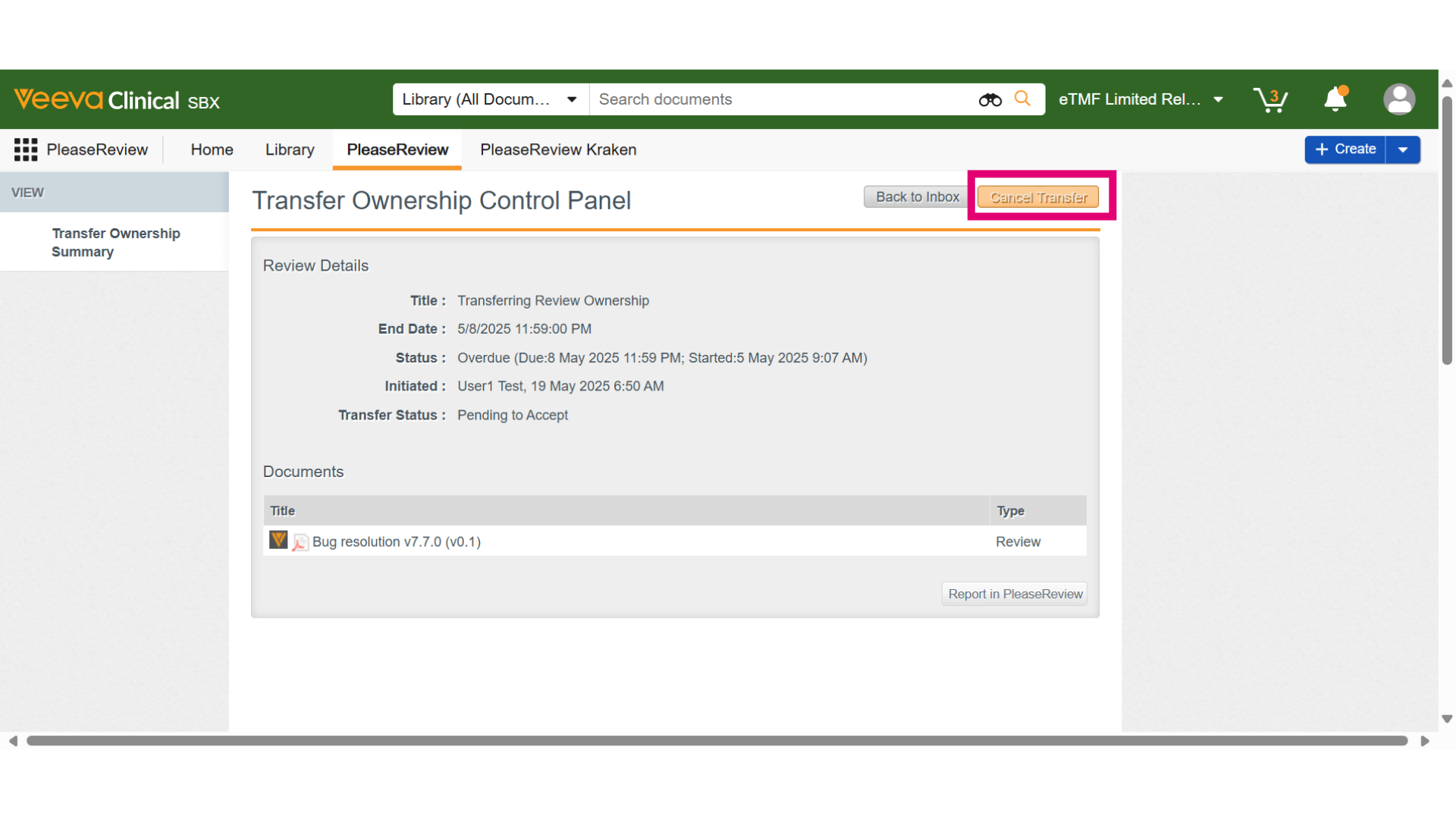
- In the Control Panel, click Cancel Transfer.
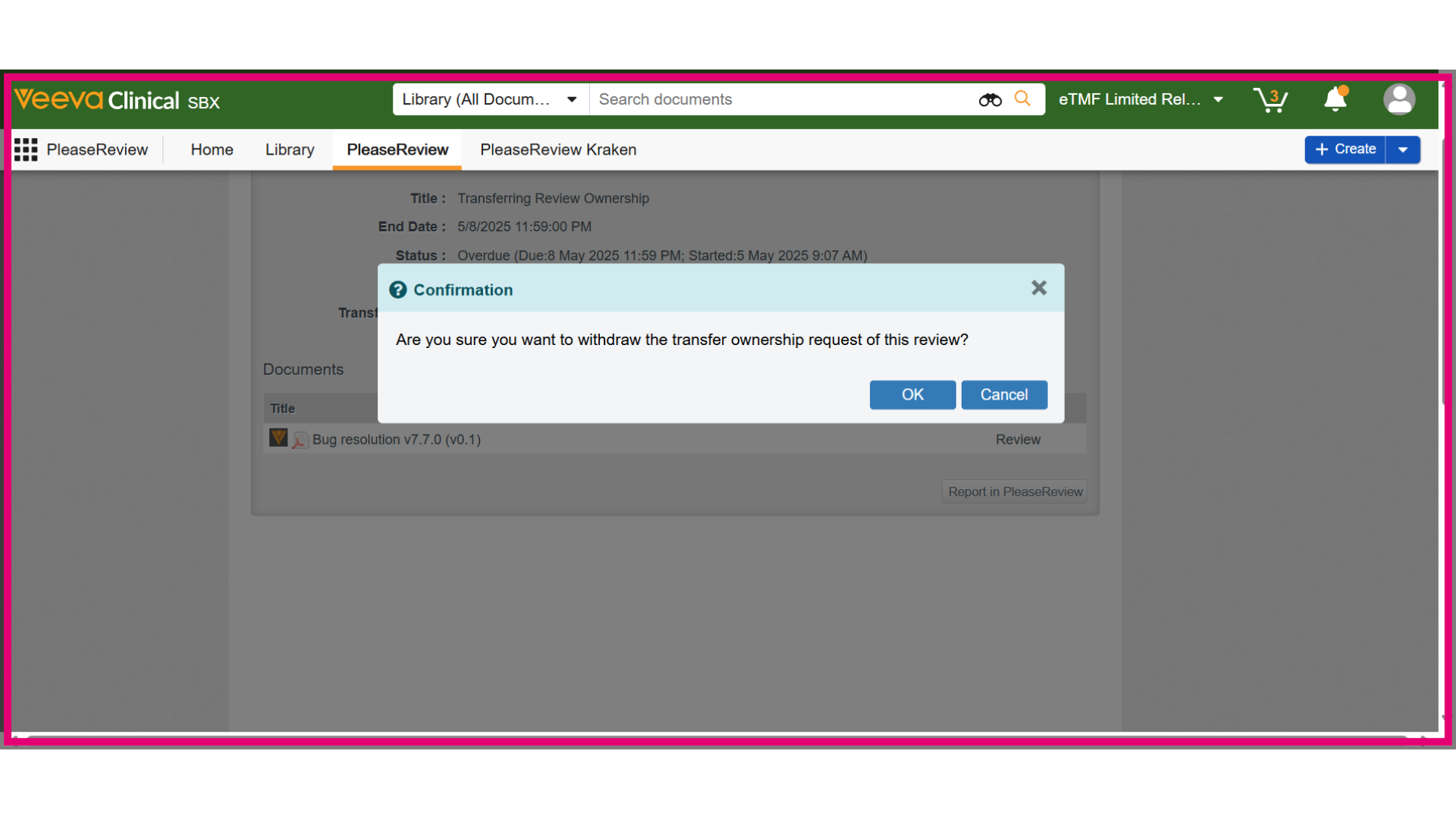
- A confirmation dialog will appear. Click OK to proceed.
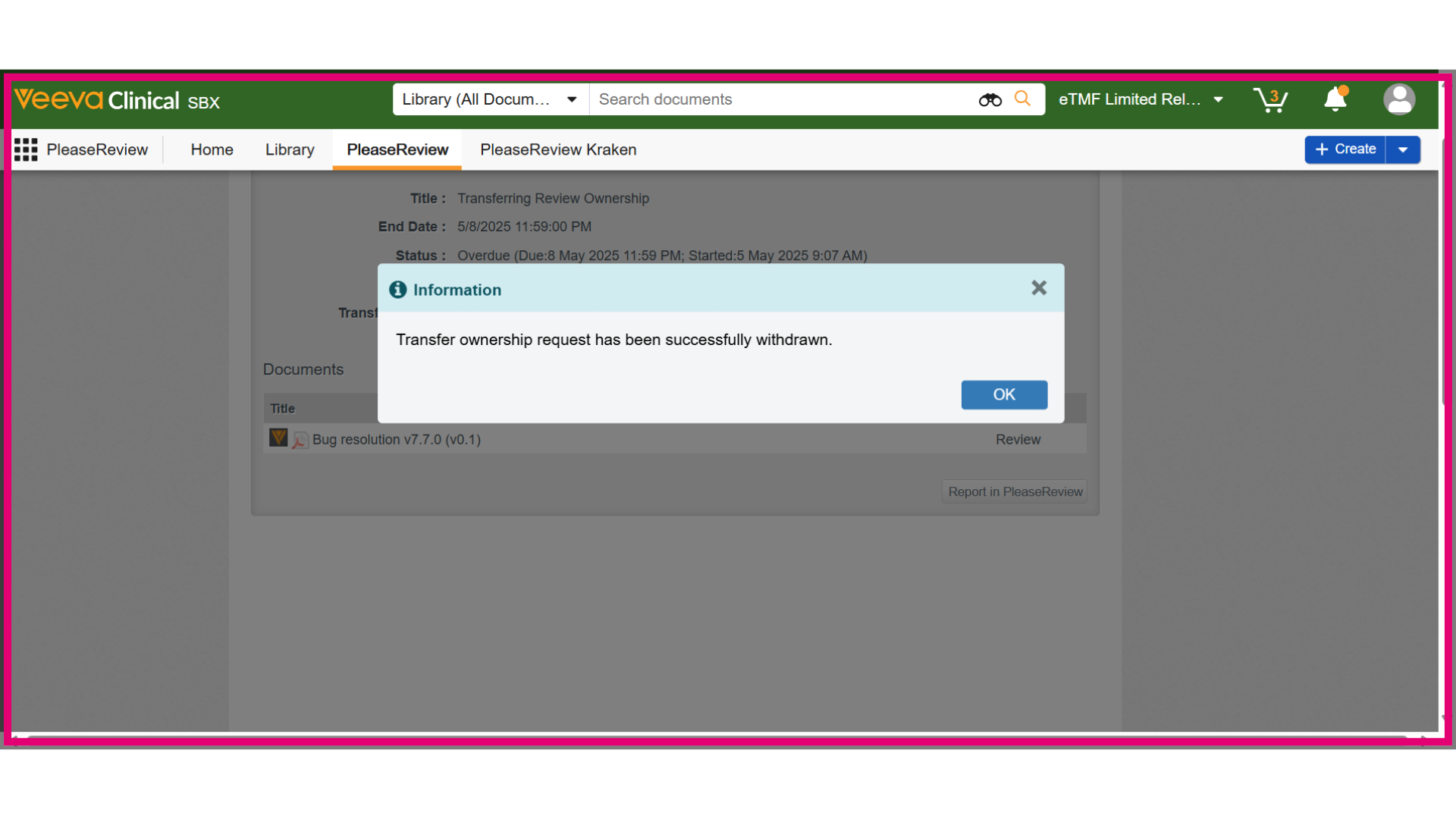
- An information dialog will show the status of the withdrawal. Clicking OK will take you back to the Transfer Ownership view, and the review will no longer appear in the Inbox.
- Locate the review in the Reviews I Own Inbox.